Set Up Your Restaurant's Ordering System in 3 Minutes — And Never Get Locked Out
For most small restaurant owners, getting online ordering set up has always come with two ugly parts: the setup weekend (typing every dish, every price, every table into some clunky admin panel), and the fear (what happens if I lose my login? Where does my data go? Am I locked in forever?).
intCount's table ordering system rebuilds both parts from scratch. An AI does the entire setup from a single paragraph you type. And a new Easy mode with email-based recovery means you can always get back into your shop — no more "one lost password and my whole restaurant vanishes."
Here's how it works.
What intCount table ordering is
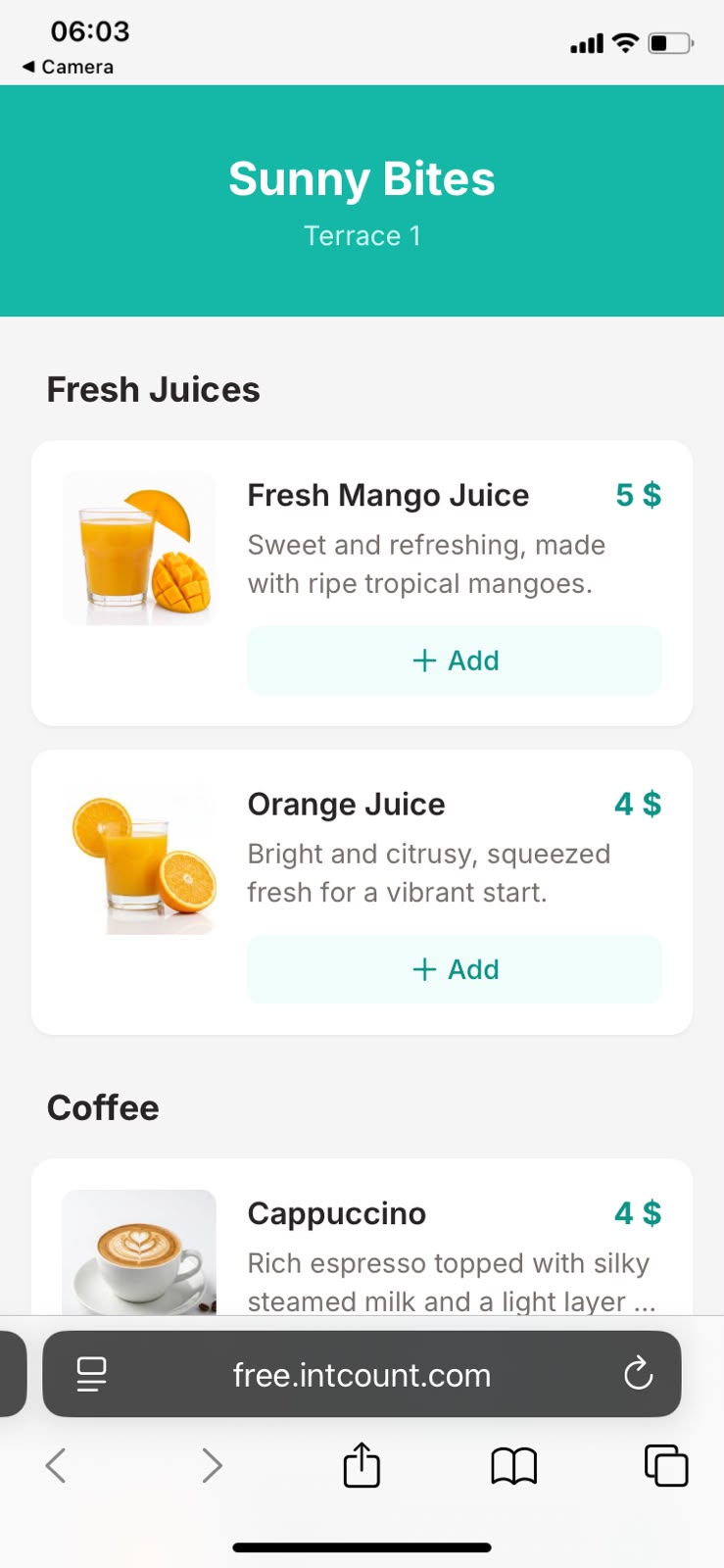
It's a free QR-code ordering system for cafés, restaurants, food trucks, and small F&B businesses. Customers scan a QR at their table, see your menu on their phone, place an order. You receive it, prepare it, mark it served. That's the whole loop.
There's no app for the customer to install, no signup on their end, and no payment processor sitting in the middle taking a cut. You keep 100% of what customers pay you, however they pay — cash, card, e-wallet, whatever you already accept.
Opening the tool
Go to free.intcount.com, open Table Ordering. You'll land here:
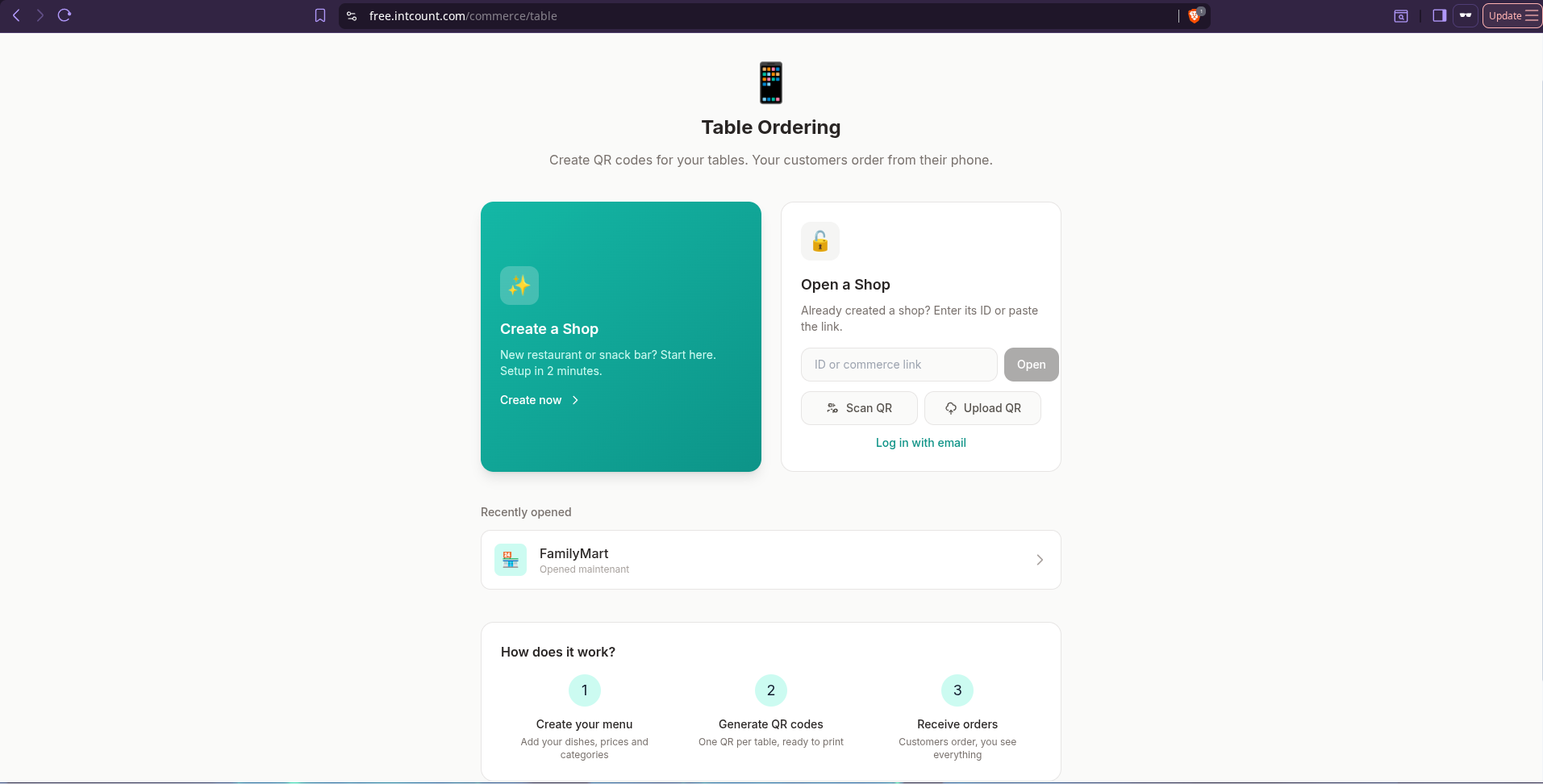
Two paths: Create a Shop if this is your first time, or Open a Shop if you already have one (with your shop link, QR, or email login).
Easy mode vs Private mode — pick your recovery method
When you create a new shop, intCount asks how you want to protect it:
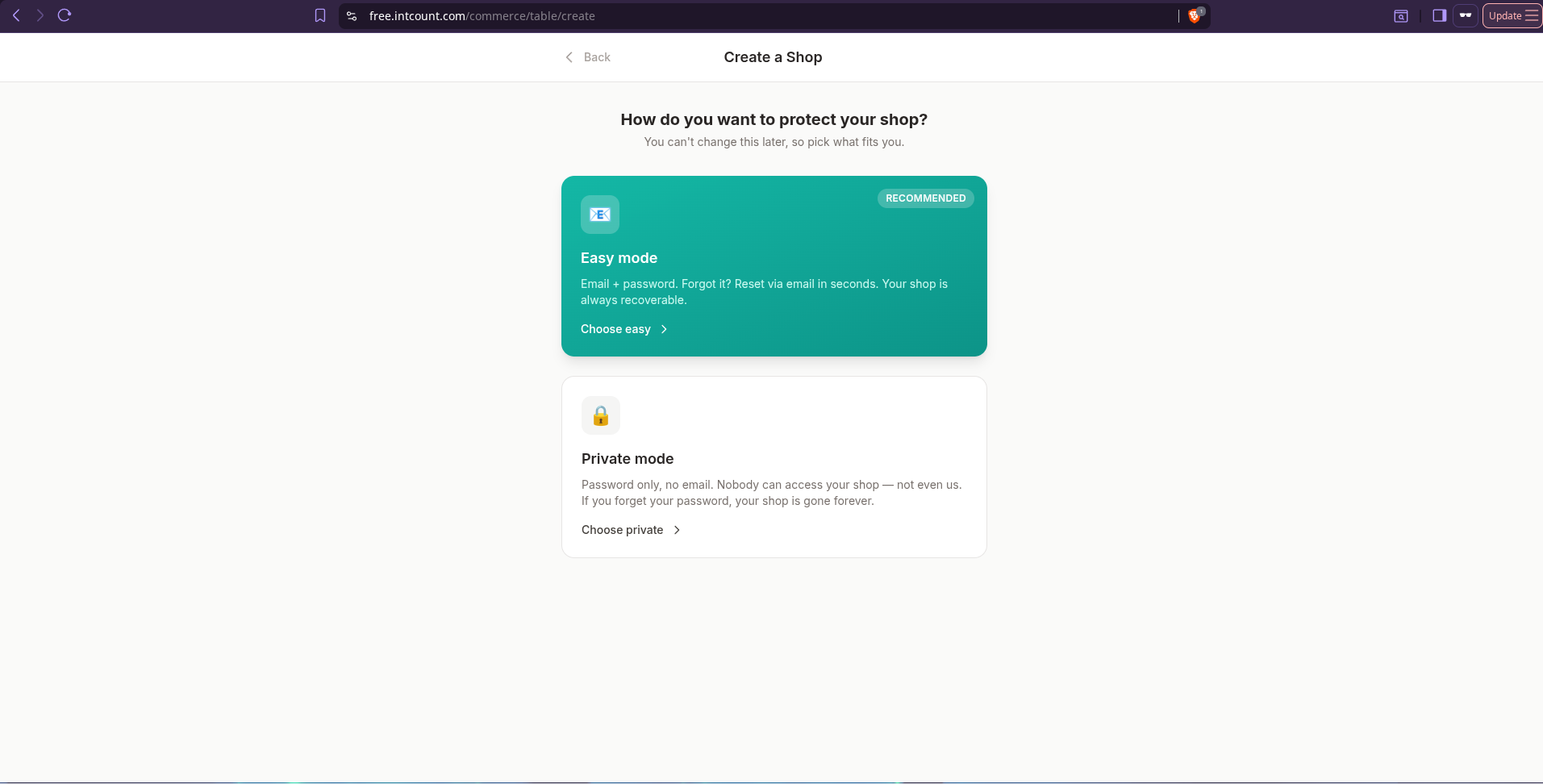
- Easy mode (recommended for most owners) — Sign up with email and password. Forgot your password? Reset it via email in seconds. Your shop is always recoverable.
- Private mode — Password only, no email. Nobody can access your shop — not even us. If you forget your password, your shop is gone forever. (Best for shops that need maximum privacy and are OK with the tradeoff.)
Most restaurant owners want Easy mode. You're running a real business — you can't afford to lose your menu, table setup, and sales history because you got a new phone and forgot which password manager the login was in.
For this walkthrough, we picked Easy mode:
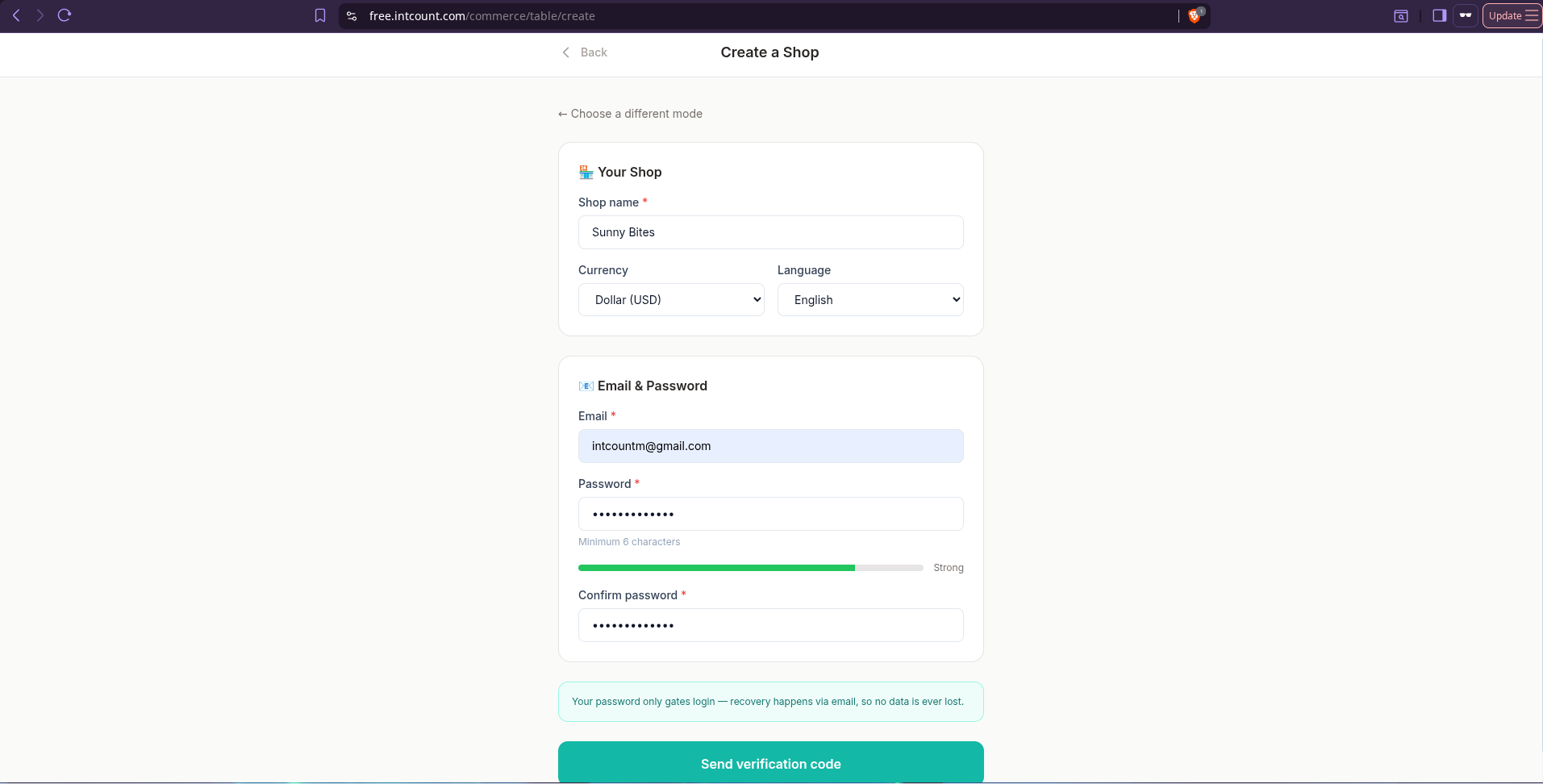
A 6-digit verification code arrives in your inbox in seconds:
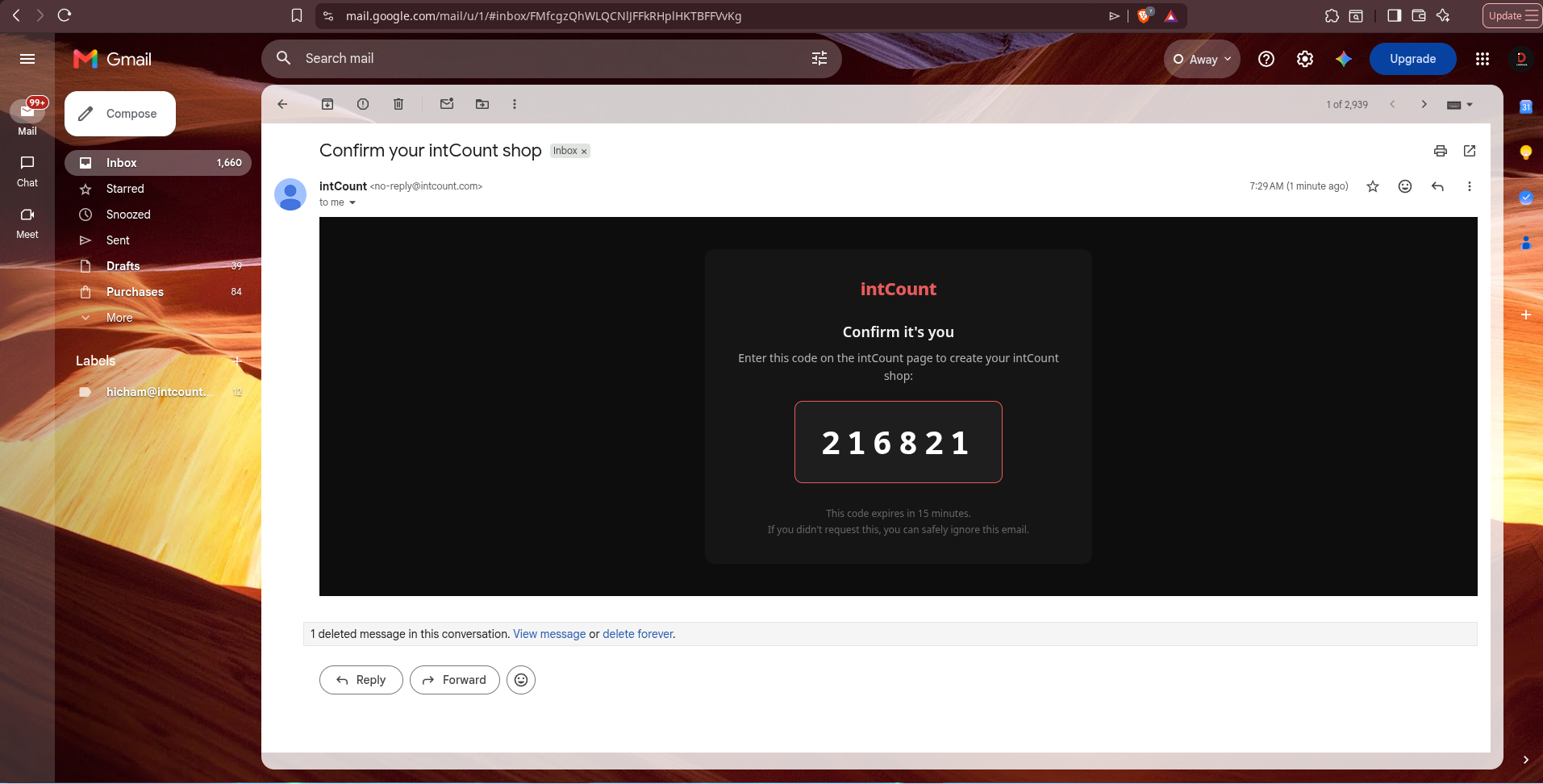
Enter the code and your shop is live. From here on, you log in from any device with just your email and password.
For Private mode users: your Shop Key + recovery QR
If you picked Private mode instead, intCount gives you two things at signup: a shop link and a printable Shop QR. Save both. The QR is a picture of your shop's URL — if you switch devices later, scan it with any phone camera, enter your password, and you're back in.
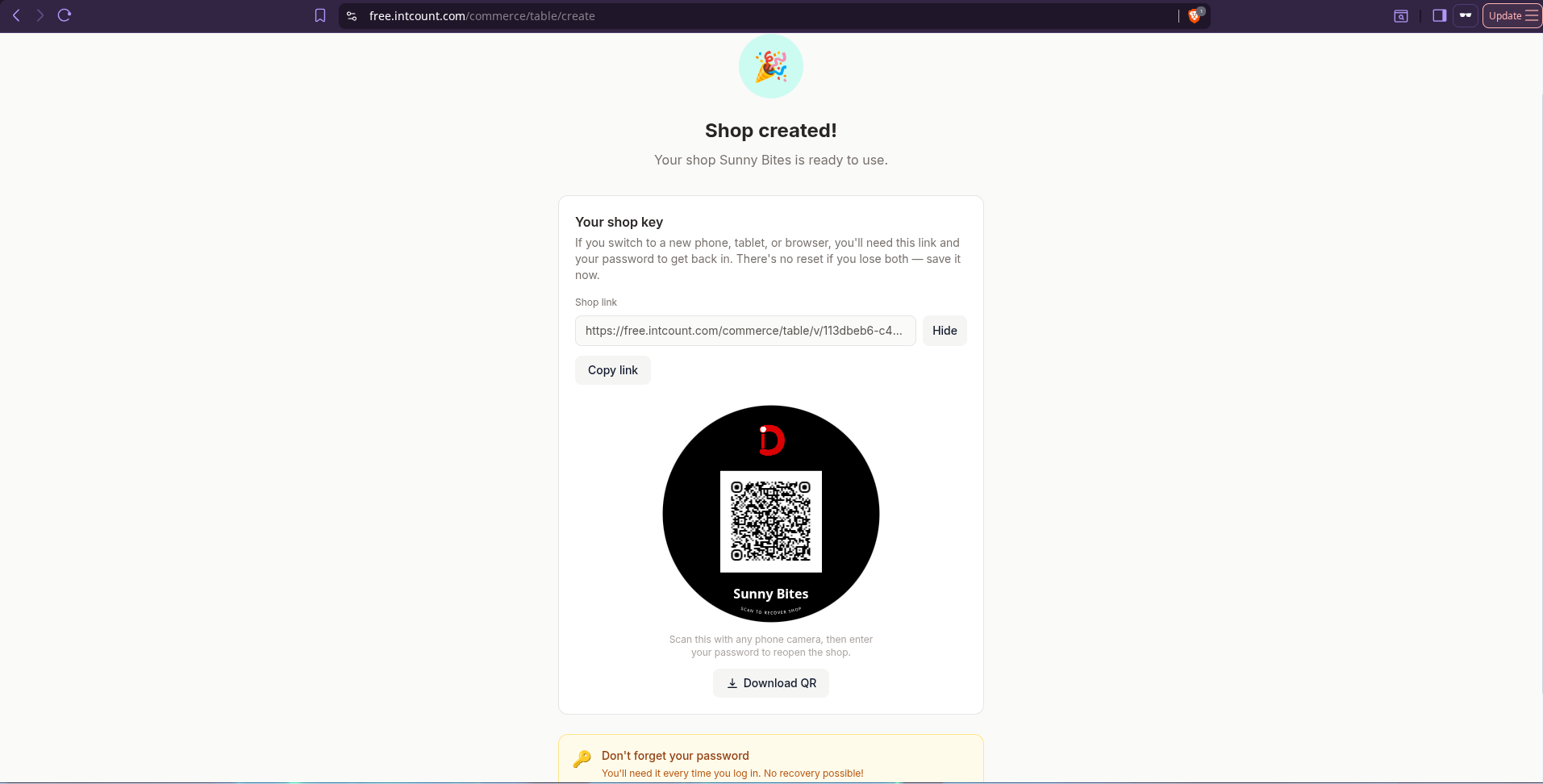
To be clear: this recovers the URL to your shop, not your password. The password is still the only key that decrypts your data, so treat it the way you'd treat the key to your till. Easy mode adds a password reset on top of this. Private mode does not.
The AI builds the menu
This is the part that used to take a whole weekend. Now it takes 45 seconds.
On the Menu page, you'll find a text box that says "Skip the typing — describe your shop, I'll build the menu for you." Describe your shop in plain language. Any language.
For this walkthrough, the shop is Sunny Bites — a small café. The description:
"Sunny Bites is a bright corner café with outdoor seating. We serve fresh mango juice, orange juice, cappuccino, latte, espresso, buttery croissants, pain au chocolat, avocado toast, and eggs benedict. Prices between $3 and $9."
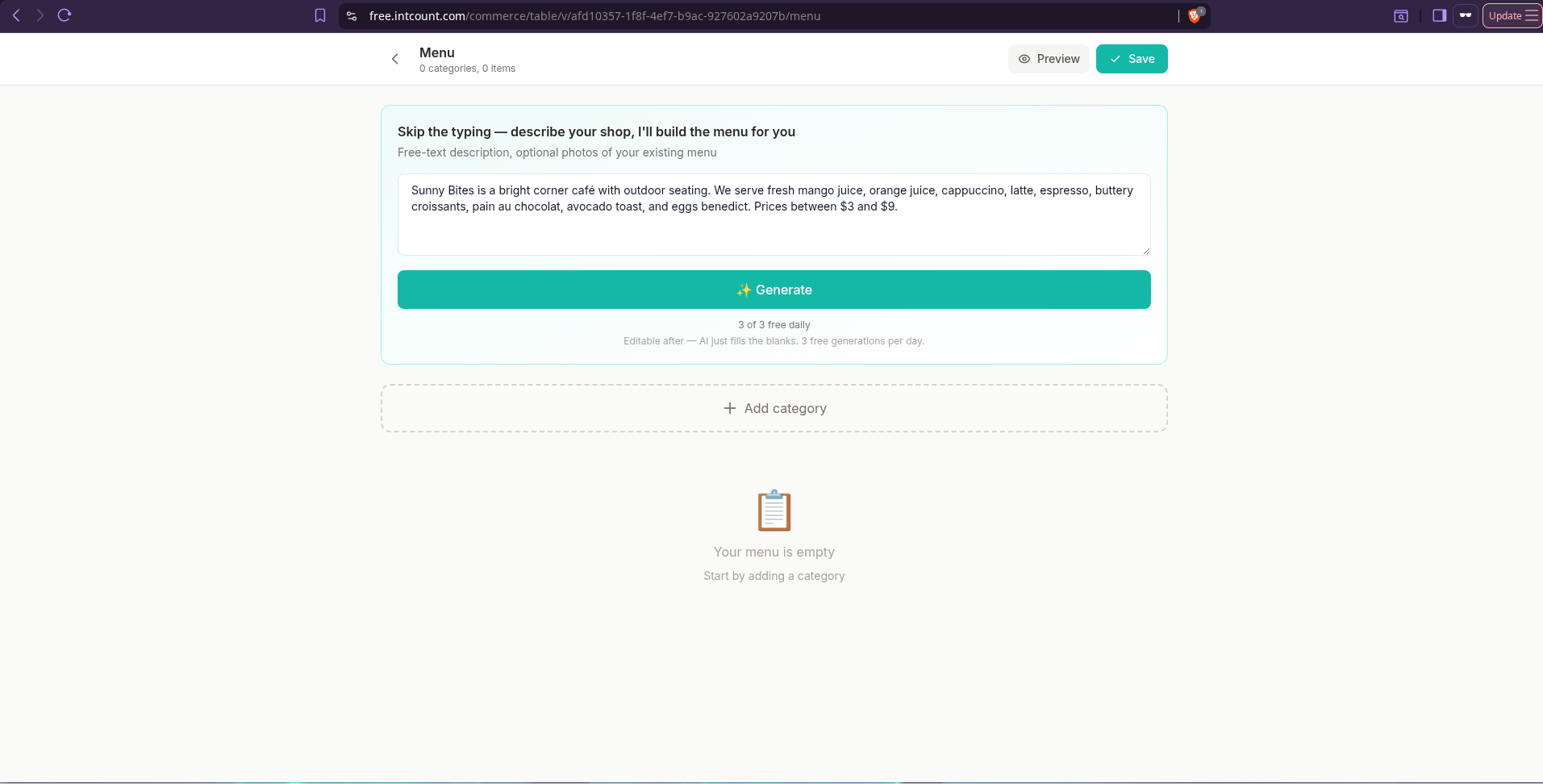
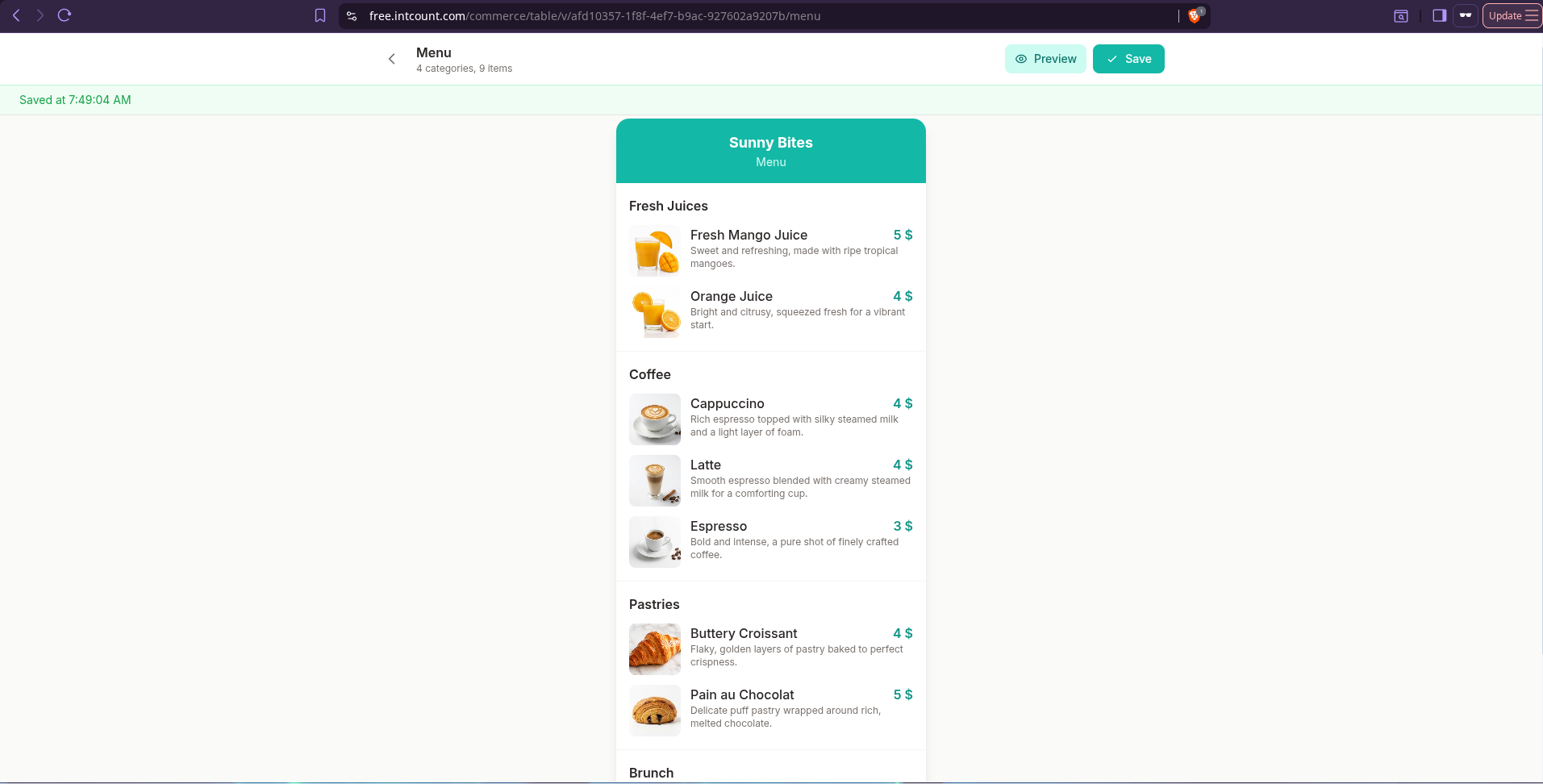
Click Generate. The AI reads what kind of shop this is, what items were listed, which currency and language you picked, and builds the full menu. Categories, item names, appetizing descriptions on each item, correct prices — all editable if you want to tweak.
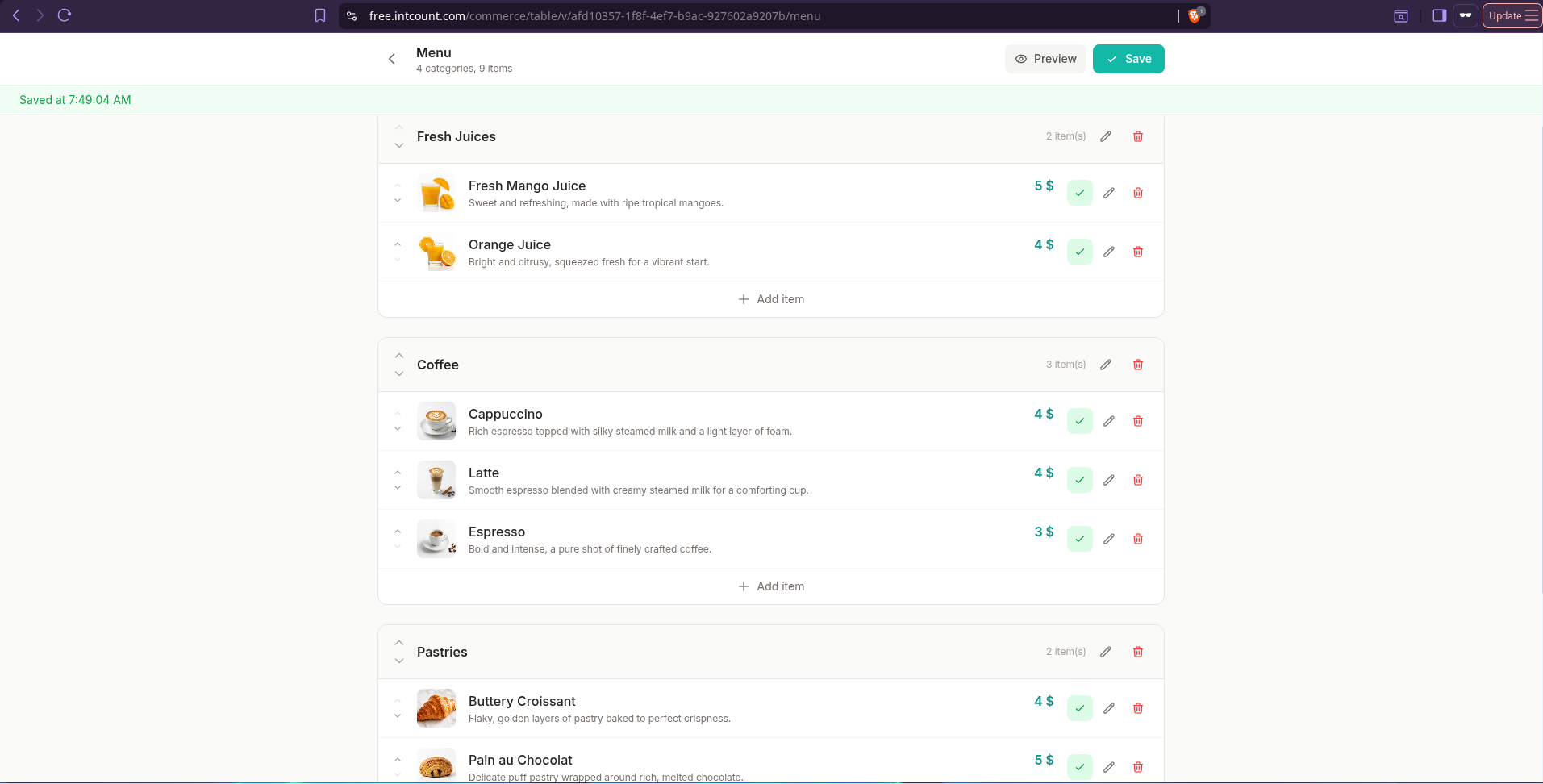
The AI writes real menu copy, not filler. Fresh Mango Juice: "Sweet and refreshing, made with ripe tropical mangoes." Cappuccino: "Rich espresso topped with silky steamed milk and a light layer of foam." If your descriptions were sitting in your head or on a napkin, they're now on your menu.
Any language works. Type your description in Arabic, Vietnamese, Malay, French, Spanish — the AI detects the language of your input and outputs the menu in that same language. A halal café in Casablanca writes in Arabic and gets an Arabic menu. A kopitiam in Kuala Lumpur writes in Malay and gets a Malay menu. Nothing to configure.
Hit Preview to see exactly what your customers will see:
The AI lays out your tables and QR codes
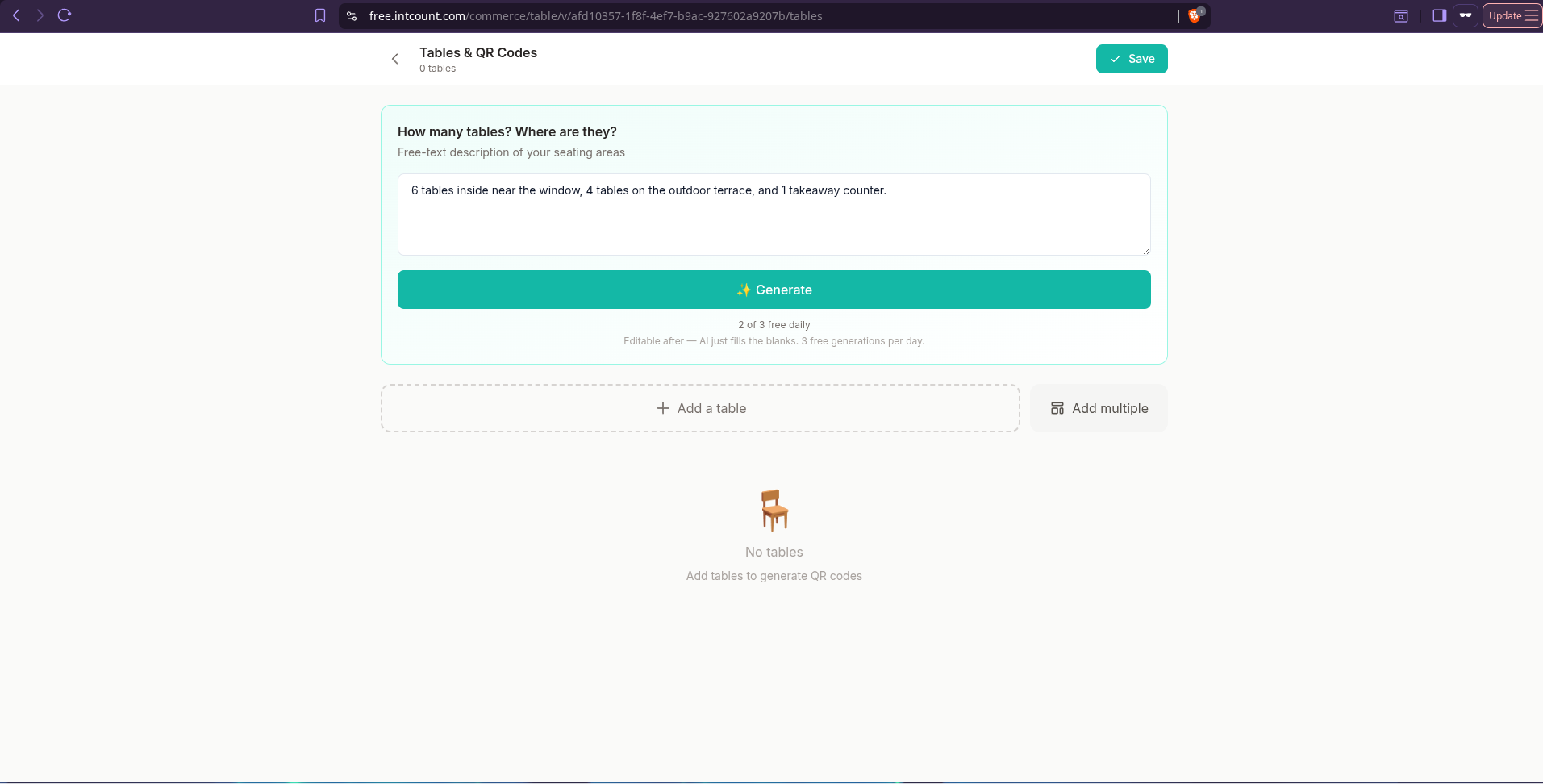
Same trick, different page. On the Tables & QR page, describe your seating in one sentence:
"6 tables inside near the window, 4 tables on the outdoor terrace, and 1 takeaway counter."
The AI doesn't hand you a boring "Table 1, Table 2, Table 3…" list. It reads your layout and labels the tables the way a real host would: Window 1–6, Terrace 1–4, Counter. Eleven tables, eleven branded QR codes, each one ready to print.
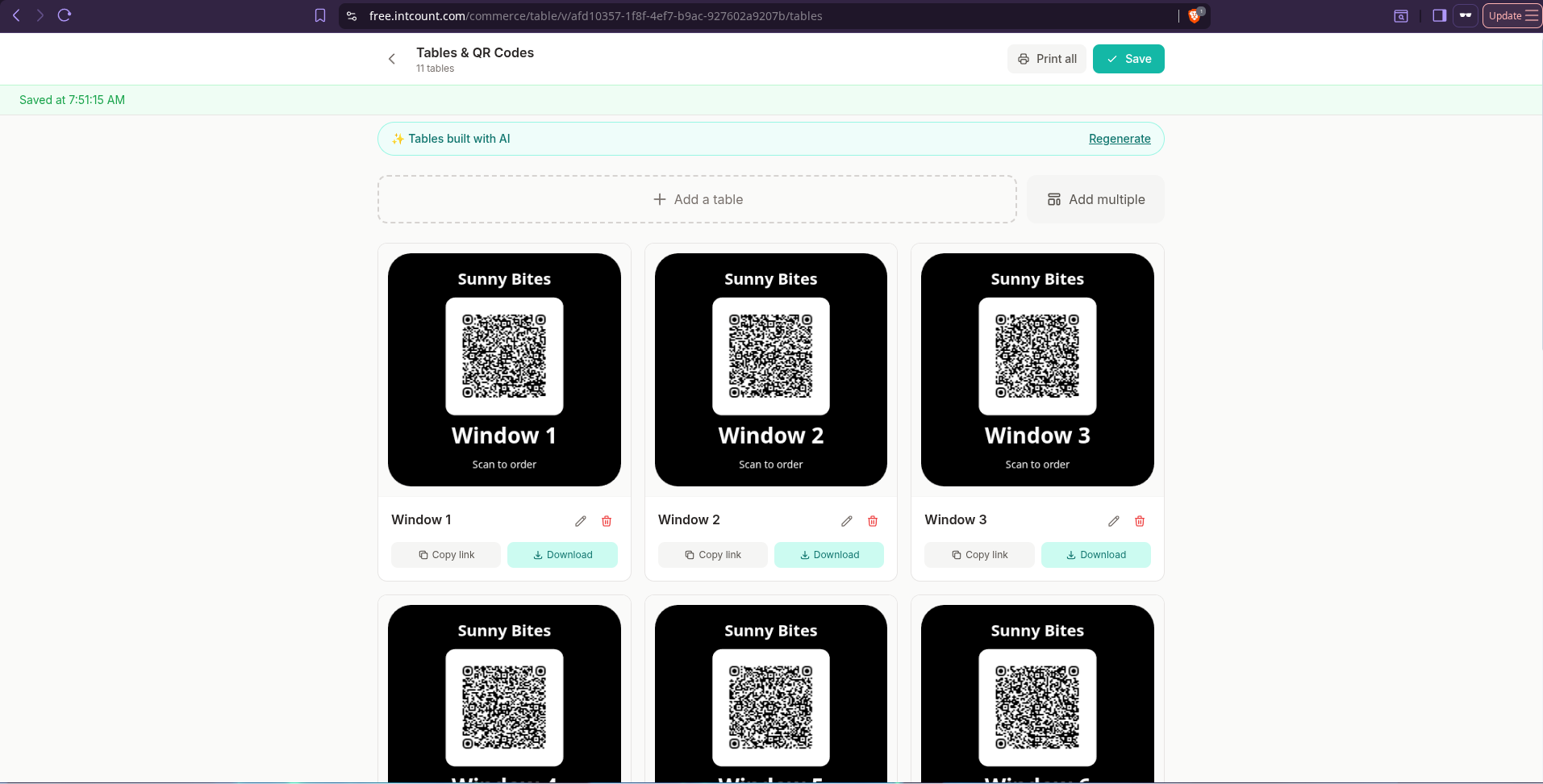
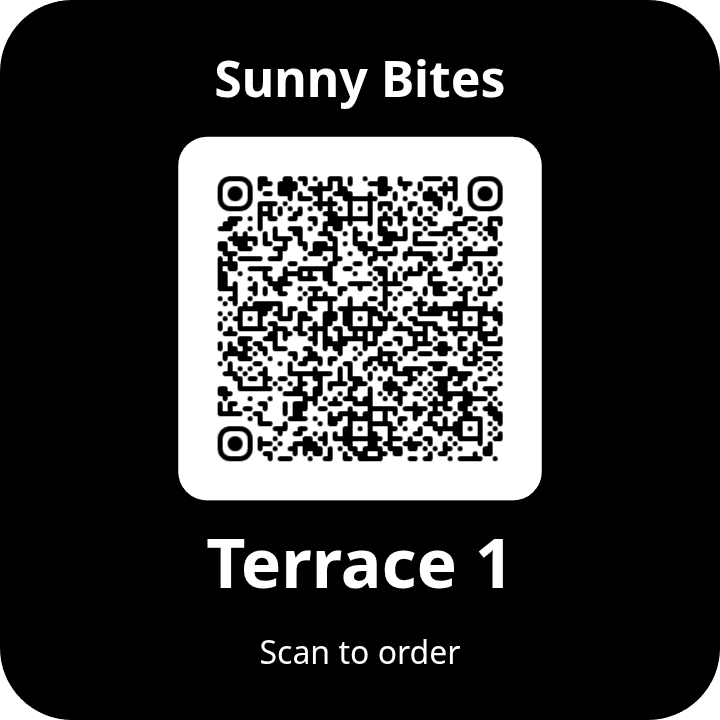
Each QR card is a proper printable design — your shop name at the top, the table label at the bottom, "Scan to order" underneath. Click Print all to send them to your printer, or Download one at a time. Laminate them, drop one on each table.
The AI builds your inventory too
If you want to track stock (optional, but useful), the Inventory page works the same way. Describe your stock in one sentence:
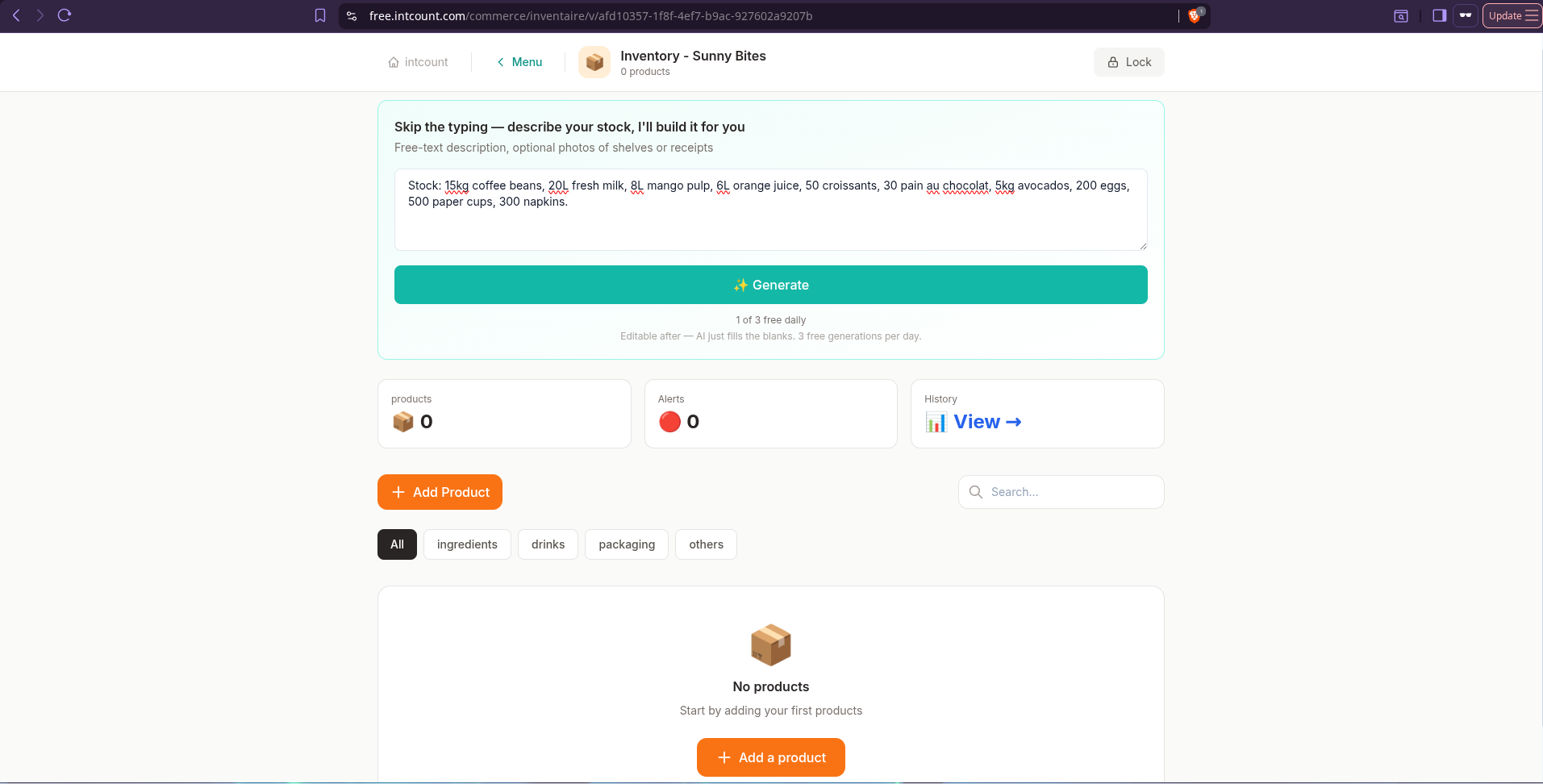
The AI returns a properly categorized product list — coffee beans and milk in Ingredients, orange juice in Drinks, cups and napkins in Others — with correct units (kg, L, units) and sensible low-stock alert thresholds on each item.
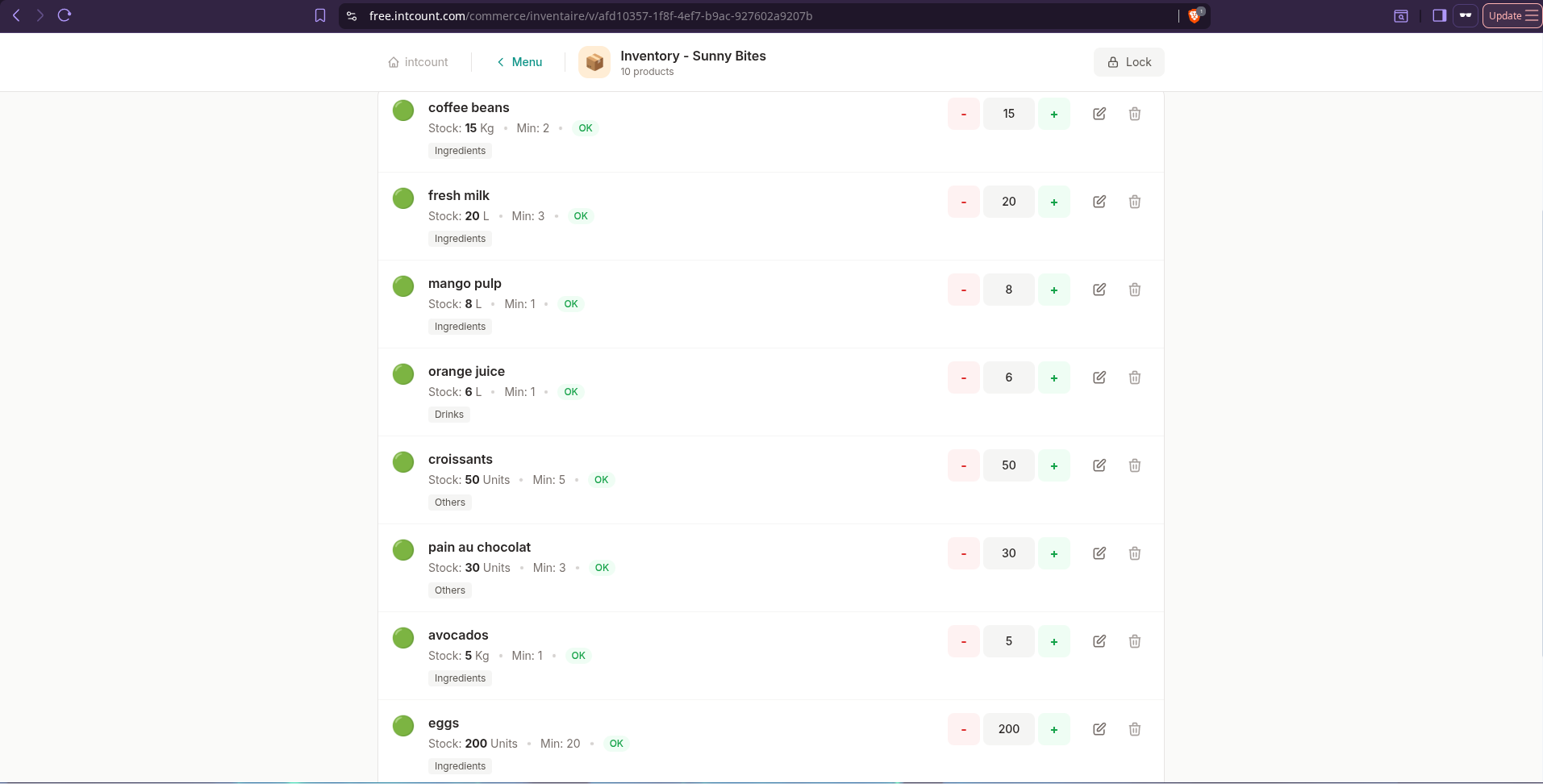
Every product tracks itself as sales come in.
What your customer sees
They walk in, sit down, scan the QR on the table. Their phone shows a clean menu — no app to install, no signup, no ads:
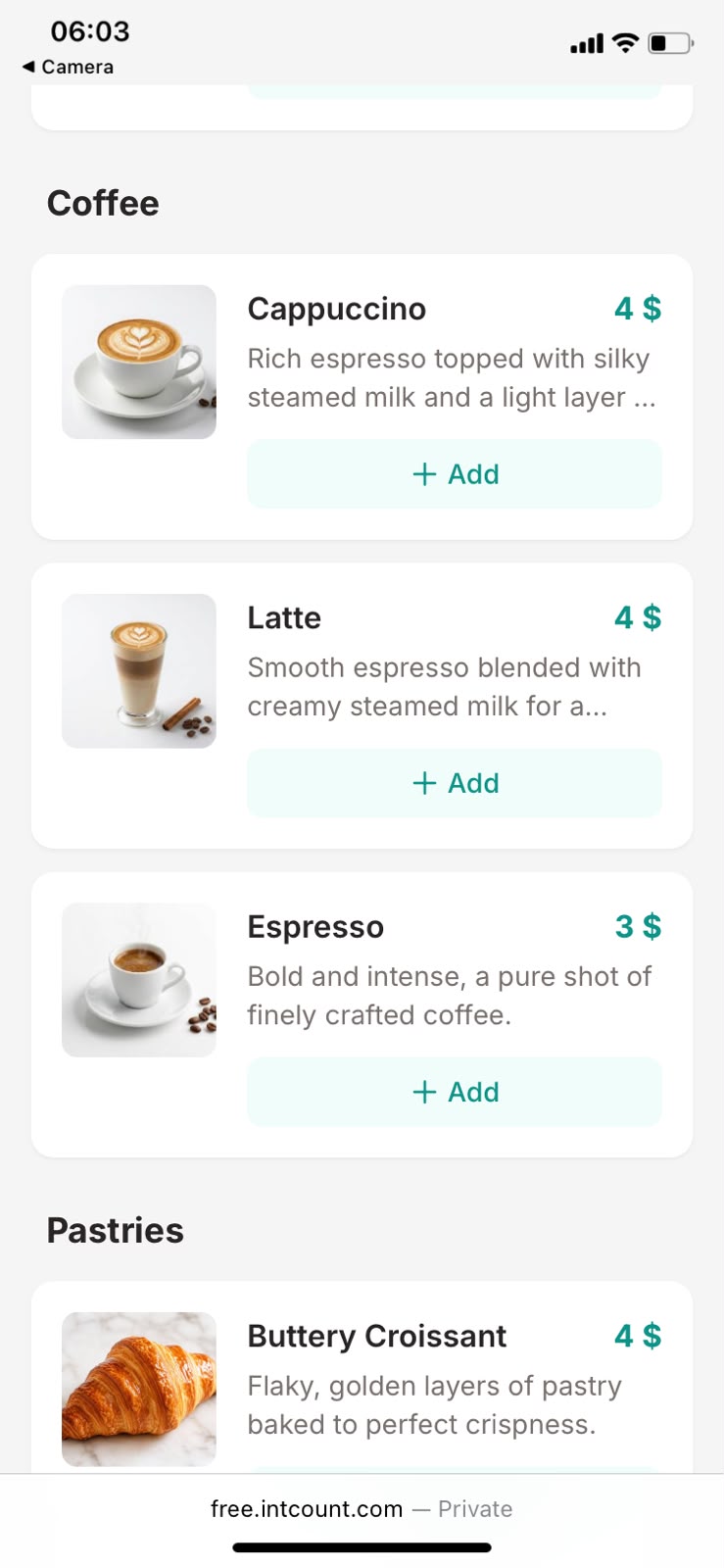
They tap items into the cart, add a note ("Less sugar please!"), and hit Send order:
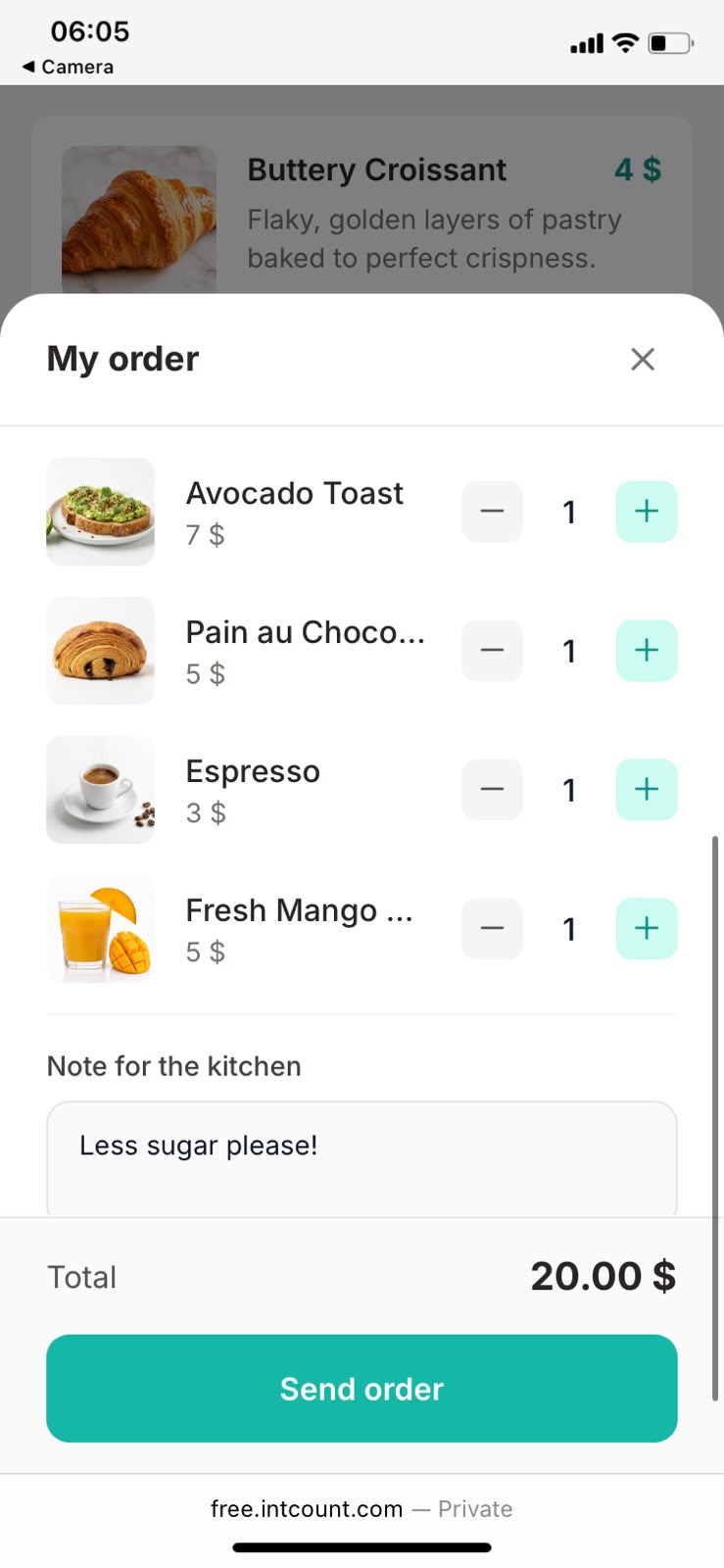
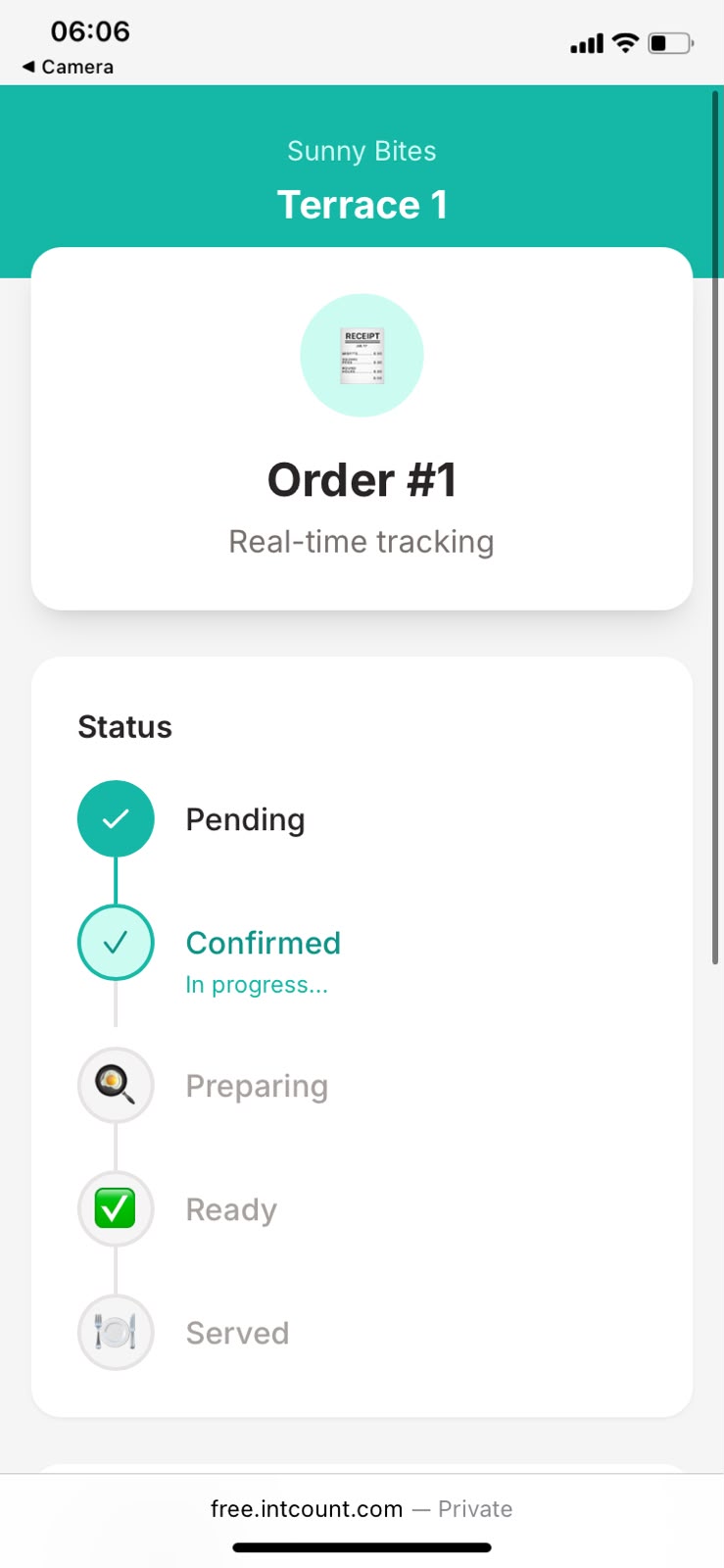
Their phone immediately shows a live status tracker — Pending → Confirmed → Preparing → Ready → Served — that updates in real-time as you mark each step:
When you serve them and mark it Paid, they see a clean thank-you screen:
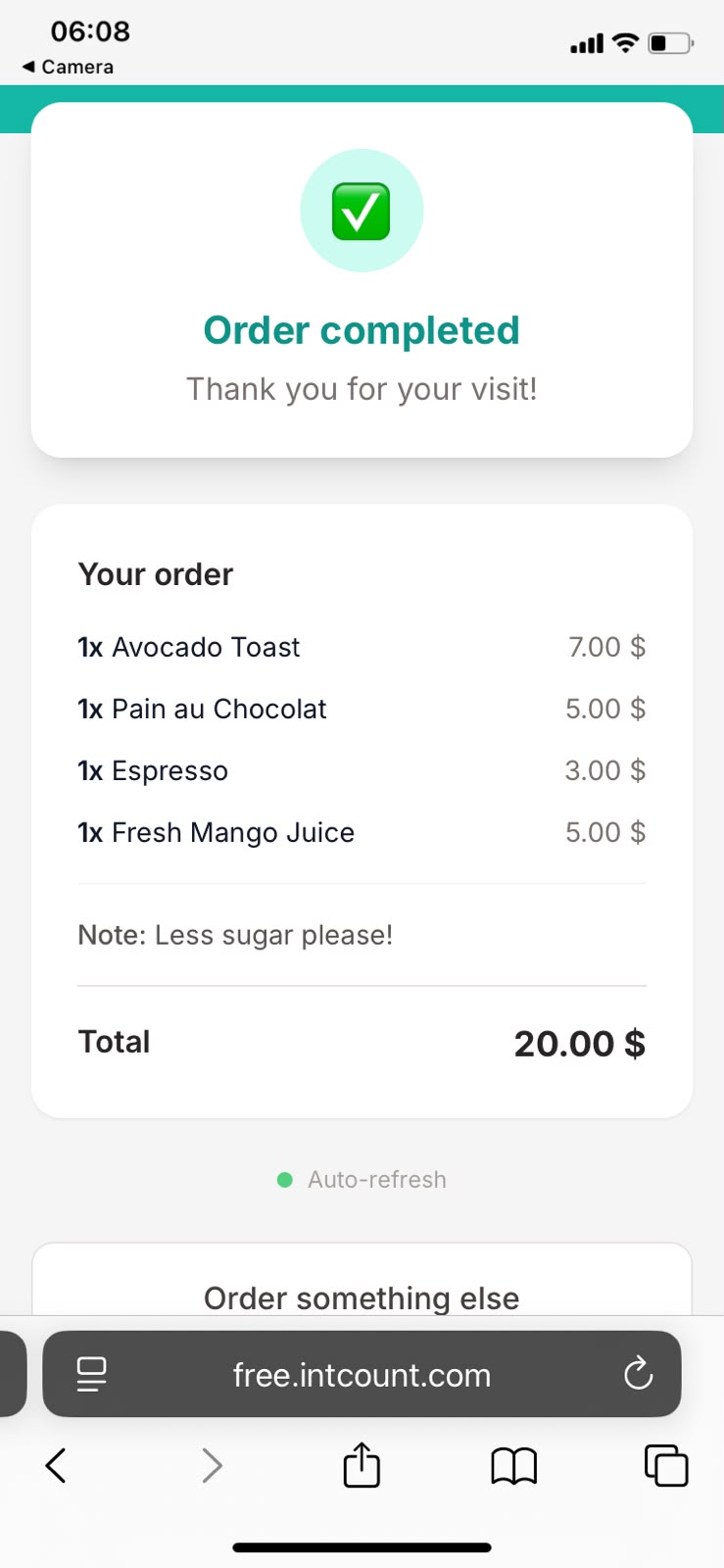
No email required. No account. No app. Their phone just knows.
What you see as the vendor
New orders drop straight into your Orders view. Full itemized list, table location, customer note, total:
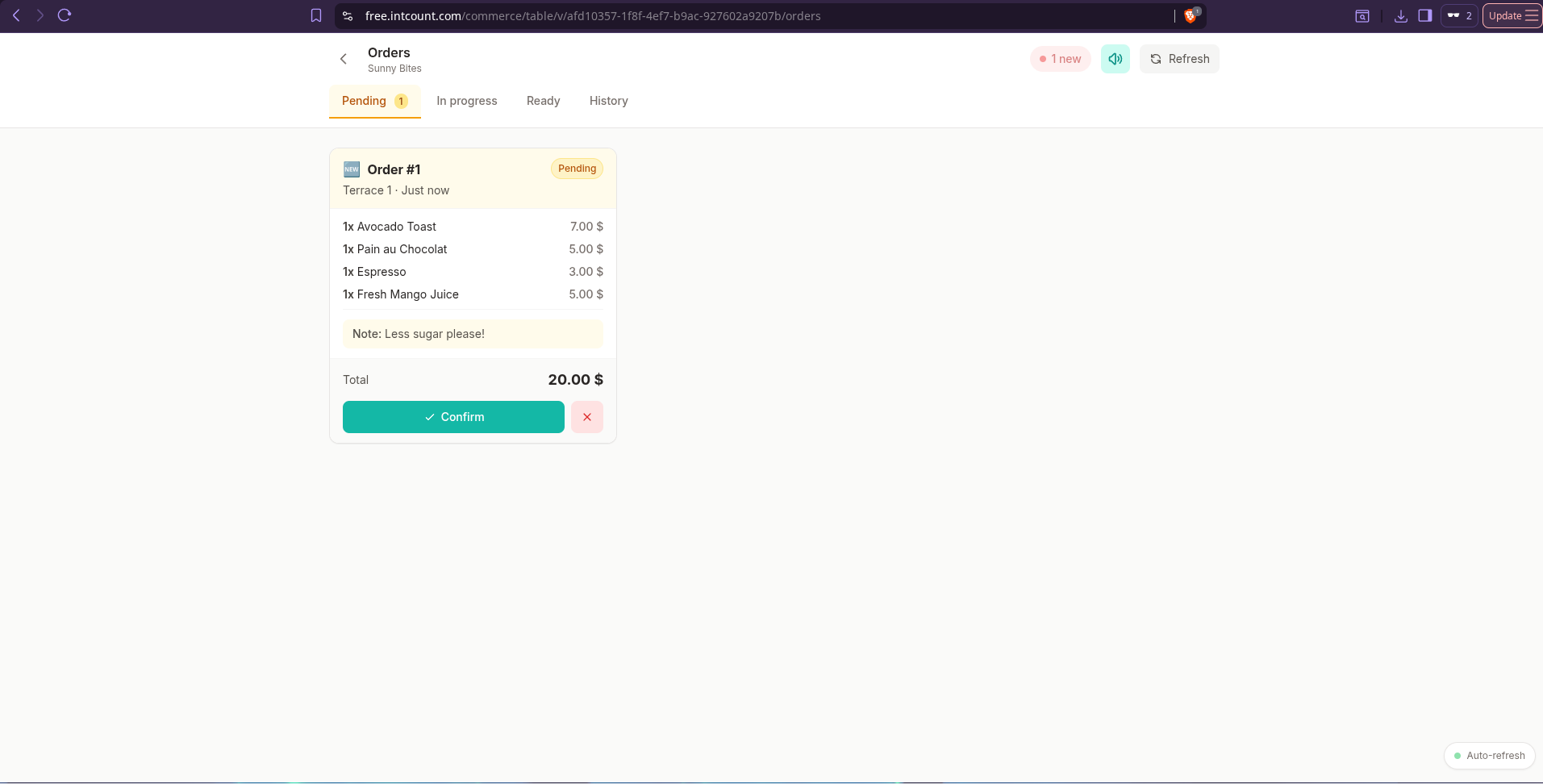
Tap Confirm to accept it. The status advances to Confirmed → tap Preparing when the kitchen starts on it → tap Ready! when it's done:
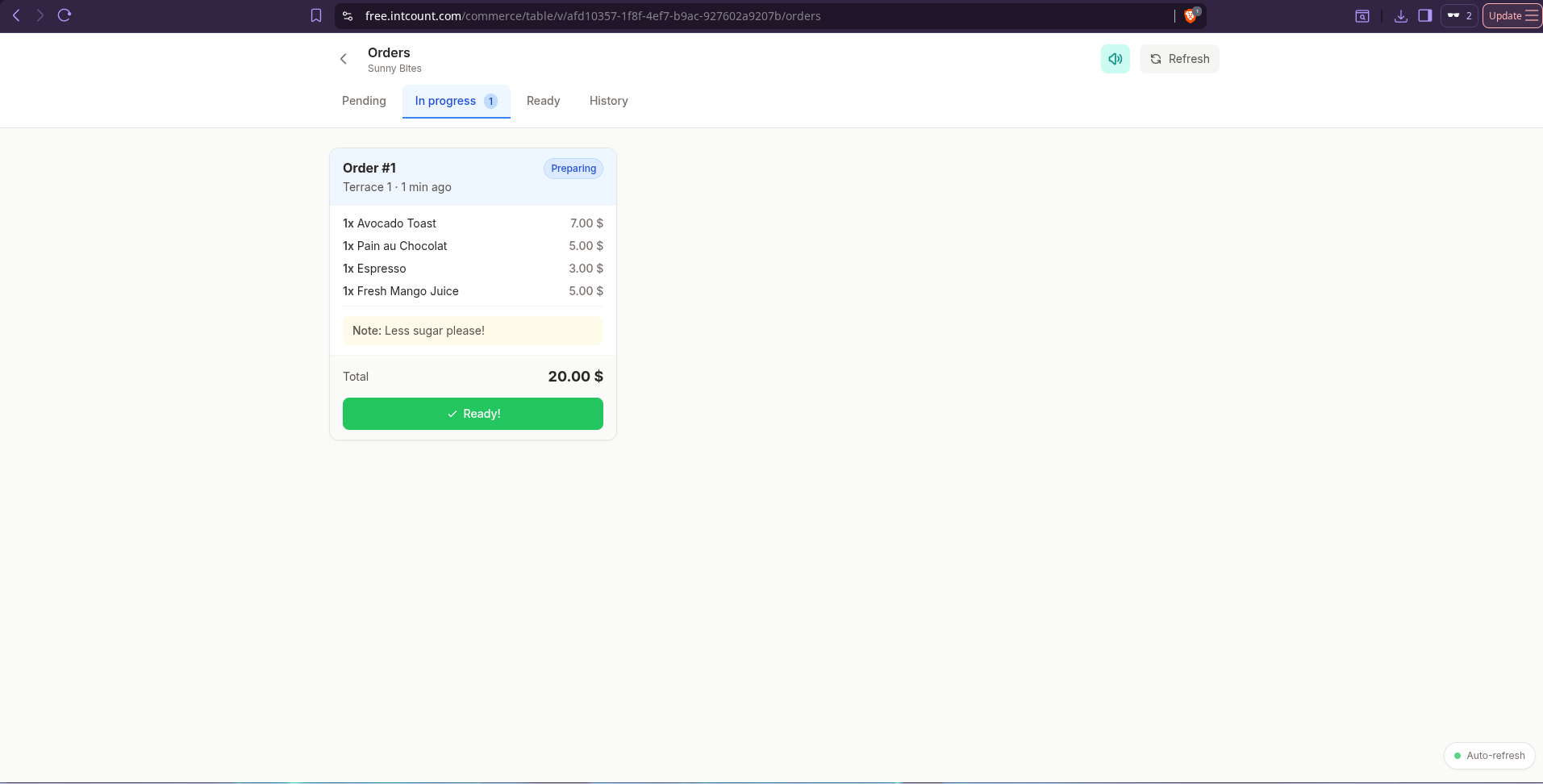
The customer's phone updates at each step, in real time. When you tap Paid, the order closes.
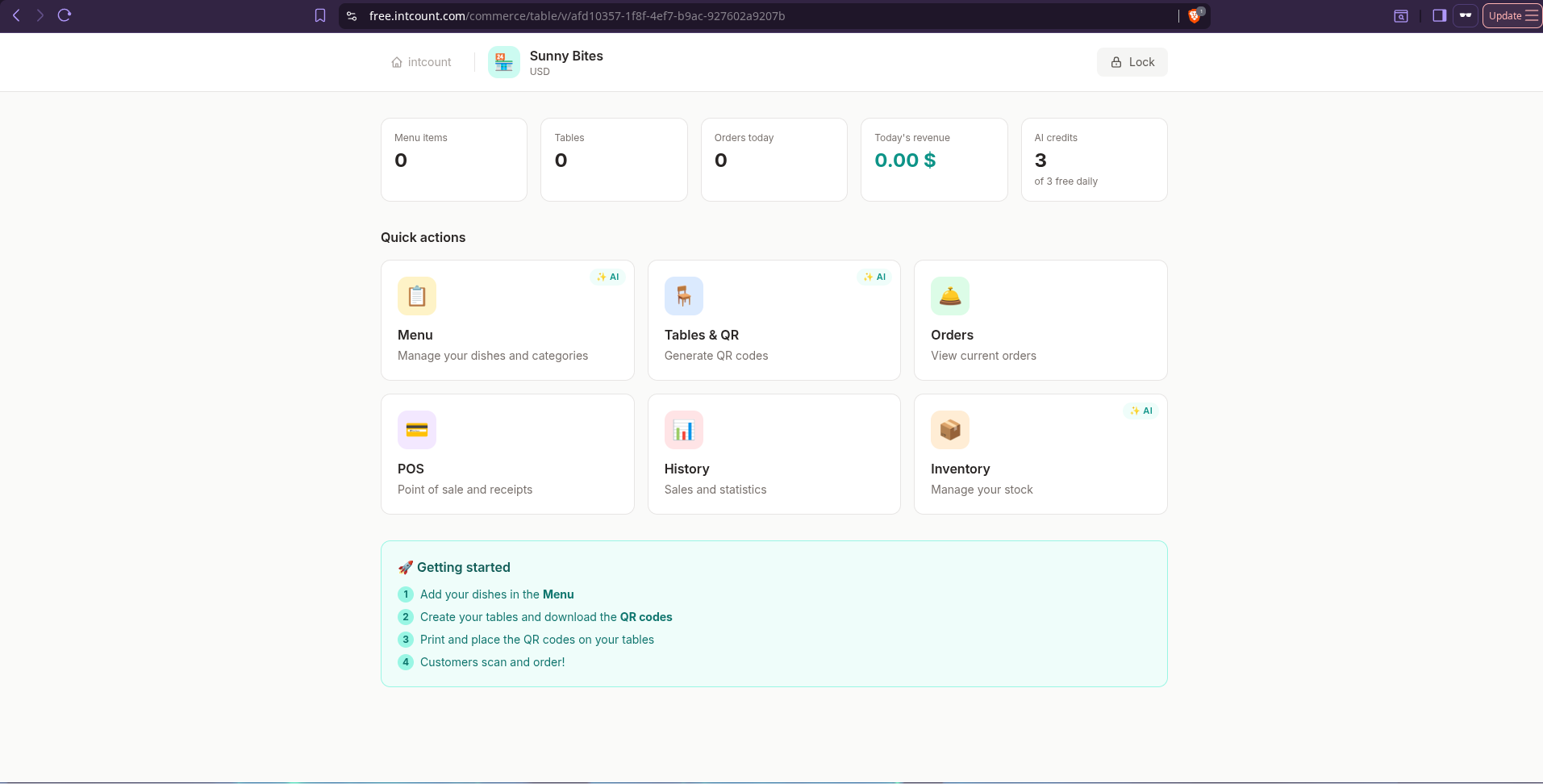
Your dashboard shows the state of everything at a glance — menu items, tables, orders today, revenue today, AI credits left:
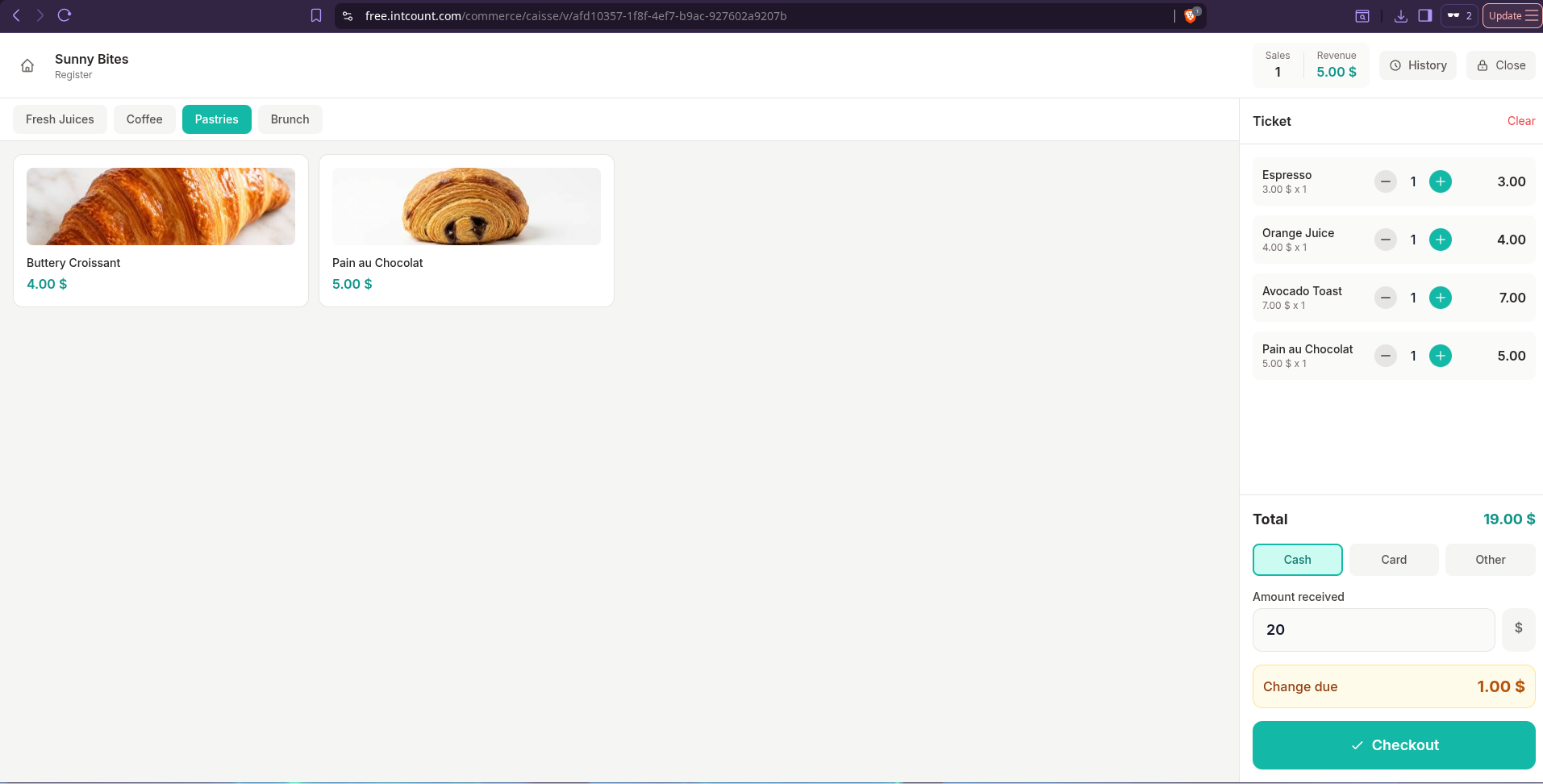
For walk-in and takeaway customers who don't scan a QR, there's a built-in POS — tap items to build a ticket, take cash or card, done. Change calculator baked in:
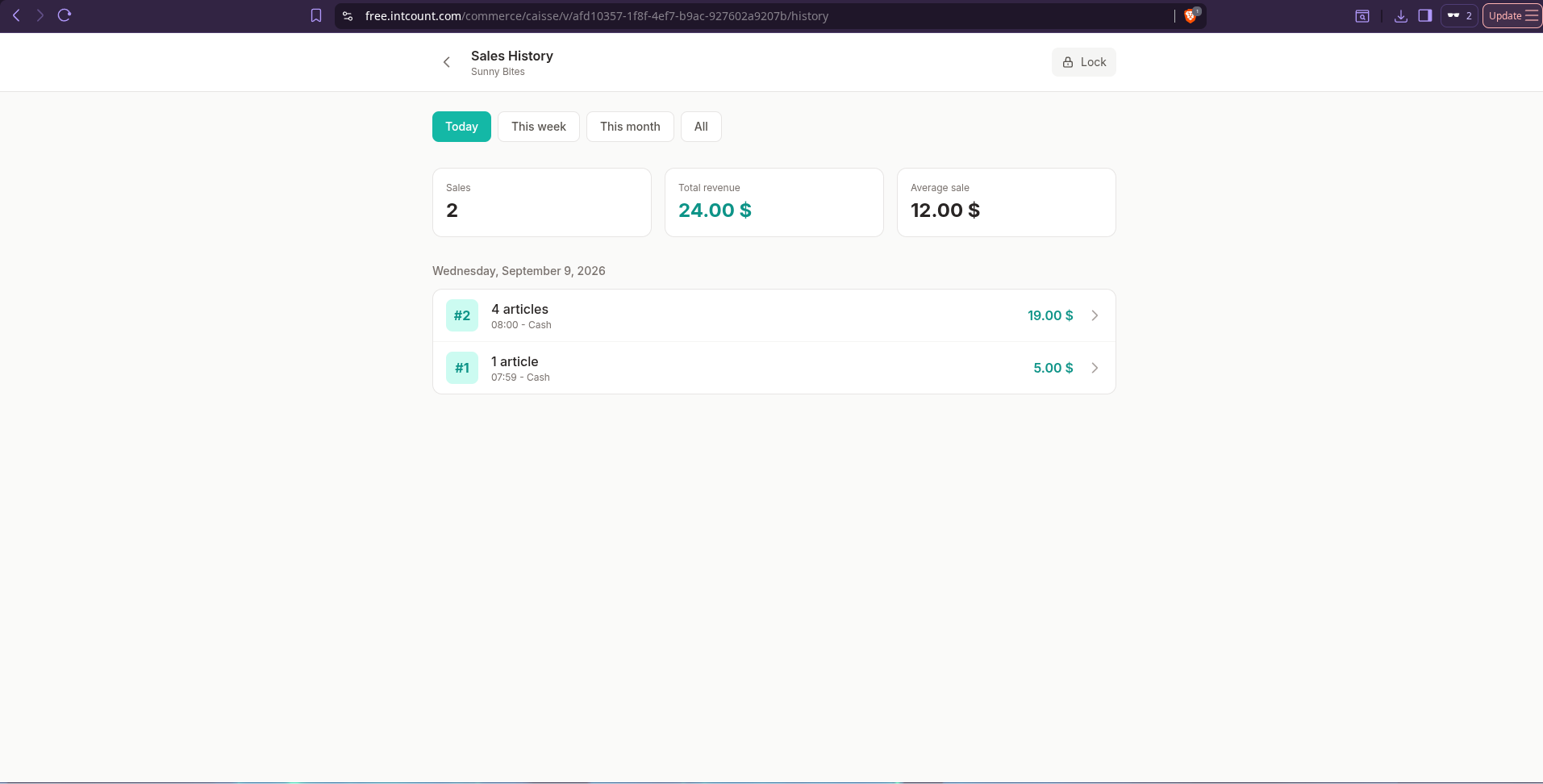
At end of day, Sales History shows everything — orders, revenue, average sale, itemized transactions:
How it stacks up against paid systems
Most restaurants shopping for an ordering system end up comparing Toast, Square, or Loyverse. Here's how intCount fits:
| Feature | Toast | Square for Restaurants | intCount Table Ordering |
|---|---|---|---|
| Monthly software fee | $69/mo (Core), up to $165/mo | $0 / $49 / $149 per location | $0 forever |
| Payment processing cut | ~2.49% + $0.15 per txn | ~2.6% + $0.15 per txn | None — you take payment directly |
| Setup time | Days (menu import, staff training) | Hours | ~3 minutes (AI-built) |
| Multi-language menu | Limited, extra config | Limited, extra config | Any language, automatic |
| Contract lockin | 24–36 months typical | Month-to-month or annual | None |
| Hardware required | Their leased terminals | Their card readers | None (customer's phone is the terminal) |
| Account recovery | Standard email reset | Standard email reset | Easy mode: email reset. Private mode: shop QR + password |
| Data ownership | Toast reads it (analytics/loans) | Square reads it | Zero-knowledge encrypted, you own it |
A busy small café on Toast can easily land at $250–$500/month once online ordering, loyalty, and hardware add-ons stack up. intCount is $0/month, forever, with the same core capability: menu, tables, orders, payment tracking, inventory, sales history.
Frequently asked questions
Do my customers need to download an app? No. They scan the QR with their phone camera, the menu opens in their browser. No app store, no install, no signup.
Do I need special hardware? No. Your printer for the QR cards is enough. Any phone or laptop can serve as your Orders screen and POS.
Does intCount take a cut of my sales? No. intCount doesn't handle payments at all. Customers pay you directly — cash, card, e-wallet, however you already accept payment. You keep 100%.
What if I lose my password? In Easy mode, you reset it via email in seconds. In Private mode, if you also lose your shop's link/QR, the data is unrecoverable (that's the tradeoff of no-email privacy). This is why most owners pick Easy mode.
Is my menu and sales data private? Yes. Your menu, tables, and sales data are AES-256 encrypted with a key derived from your password, in your browser, before touching any server. Even intCount can't read the encrypted data — only you can, because only you have the password.
What languages does the AI support? Any language. The AI detects the language of your input paragraph and writes the menu, table labels, and inventory names in that same language. Arabic, Vietnamese, Malay, Spanish, French, Portuguese, all confirmed working.
How many QR codes can I have? Up to 50 tables per shop, generated in one go from your seating description. You can add more manually if needed.
What happens if my internet goes down? The customer-facing menu is cached in their browser once it loads. New orders need internet to reach you, but existing orders you've already received stay in your Orders view offline.
Is there really no monthly fee? Correct. Table Ordering is free forever. The free AI setup credits reset daily (3 per day). Extra credits, if you need more setup runs, are available as small one-off top-ups. But you never pay a subscription and there are no per-order or per-transaction fees.
Can I use it for a food truck or pop-up? Yes. It's exactly the shape of tool a food truck or pop-up needs: no fixed hardware, mobile QR codes, works anywhere with an internet connection.
Why this exists
Most restaurant POS systems today are built for a certain kind of business — high-volume, credit-card-heavy, willing to sign a contract and pay hundreds a month in fees. That leaves out most small F&B operators in the world. A street coffee stall in Kuala Lumpur, a family kopitiam in Singapore, a beach café in Vietnam, a corner brunch spot in Morocco — none of them need Toast's full stack, but all of them need a way for customers to order from their table.
intCount table ordering is built for exactly those shops. It's free. It's fast to set up. It works in your language. And with Easy mode, you can lose your phone, forget your password, switch devices — and still get your shop back in a minute.
Try it
Go to free.intcount.com/commerce/table/create, pick Easy mode, and describe your shop in one paragraph. In three minutes you'll have a menu, table QR codes ready to print, and an ordering system your customers can start using tonight.
Table Ordering is one of several tools in the intCount free suite — POS, inventory, receipt/invoice generator, currency converter, and more — all at free.intcount.com. All free. All zero-knowledge encrypted. All designed to be simple and amplified.