Free VAT Invoice Generator for UAE Businesses — FTA-Compliant, and We Never See Your Data
Short answer: intCount's VAT Invoice tool generates FTA-compliant tax invoices for UAE businesses — automatic 5% VAT calculation, TRN fields, QR code, professional PDF — for free, with no signup. Every field you type is encrypted in your own browser before anything touches a server. You can prove this yourself, live, using nothing but your browser's built-in DevTools. No account, no card, no data leaving your device unencrypted.
This post walks through the entire flow with real screenshots — including the actual privacy proof, not just a claim on a landing page.
Why this exists
Every FTA-registered business in the UAE needs to issue tax invoices with a specific format: your TRN, the customer's TRN (if registered), itemized VAT at 5%, and a QR code. Most invoicing tools that do this are subscription SaaS products that store your customer list, your pricing, and your revenue on their servers — accessible to their support staff, their analytics pipeline, and anyone who breaches their database.
intCount's Docs tool does the same job differently: the invoice data is encrypted in your browser, with a password only you know, before it's ever sent anywhere. The server stores encrypted gibberish. Even intCount's own team cannot read it.
Getting started — no account required
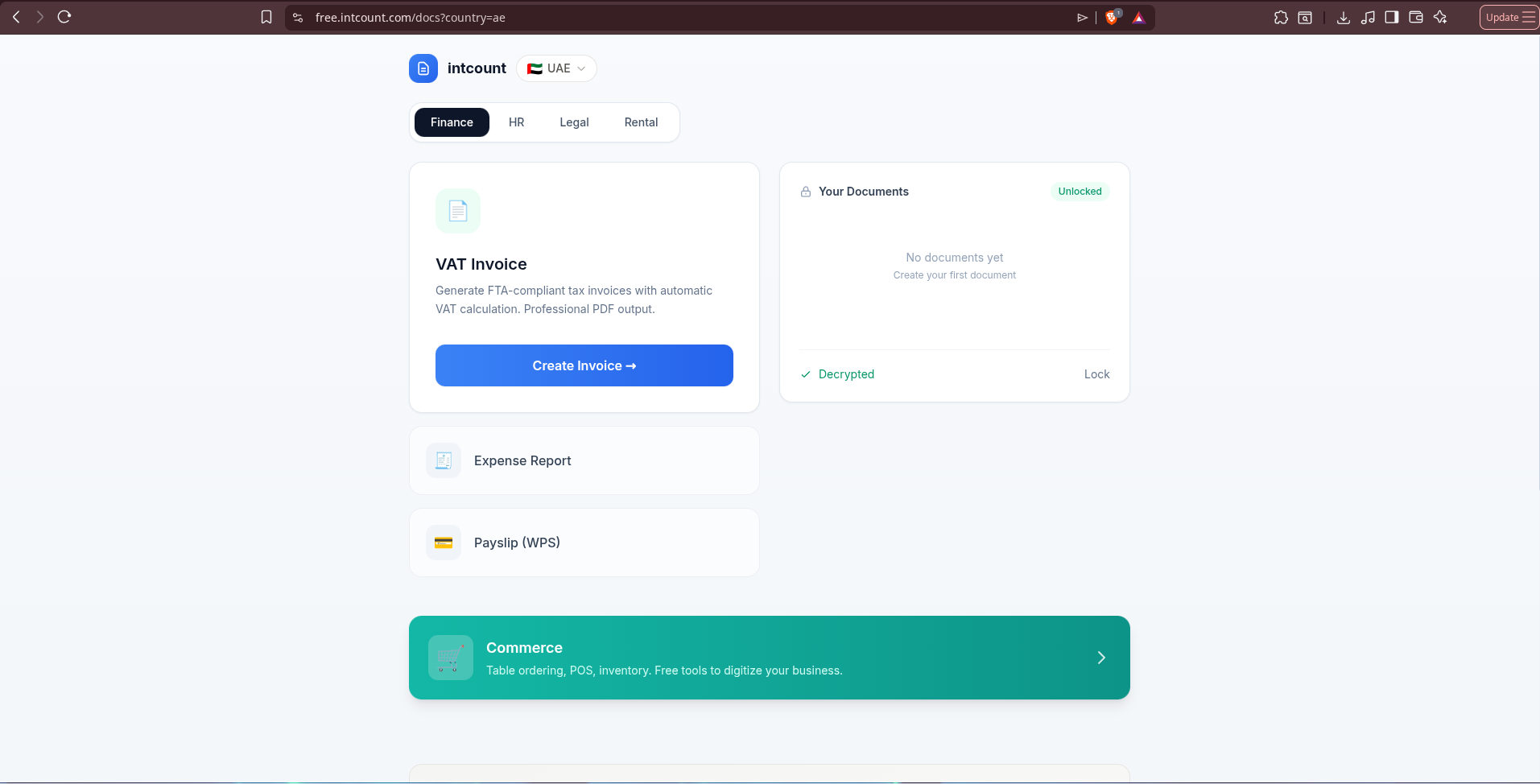
Go to free.intcount.com/docs?country=ae. Pick the Finance tab, and you'll see VAT Invoice, Expense Report, and Payslip (WPS) tools.
The first thing you'll notice on the right: a lock screen.
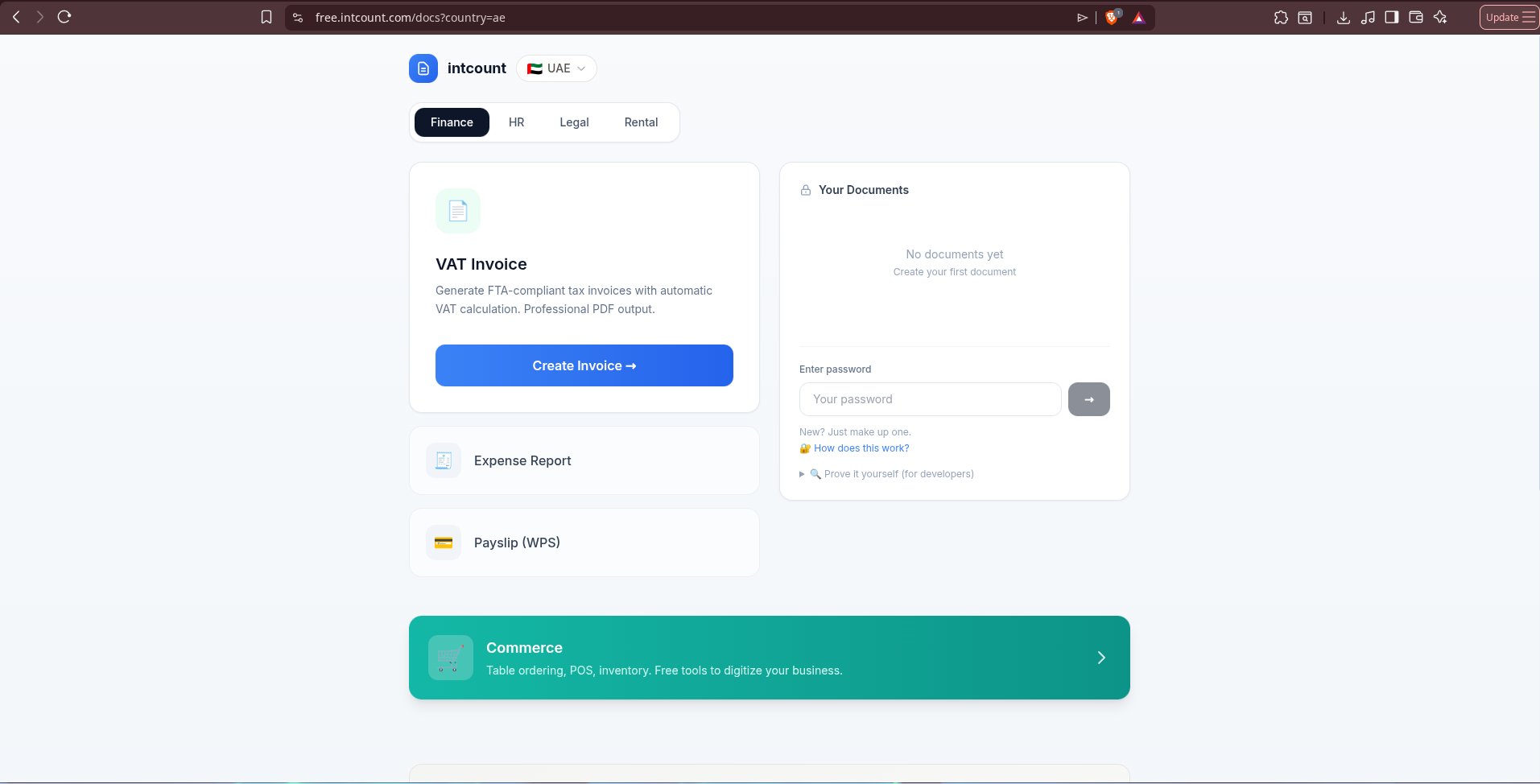
There's no email, no signup form, no OAuth button. Just: "Enter password." Type anything — a real password you'll remember, or literally make one up on the spot ("New? Just make up one."). That password becomes the encryption key for everything you create in this session.
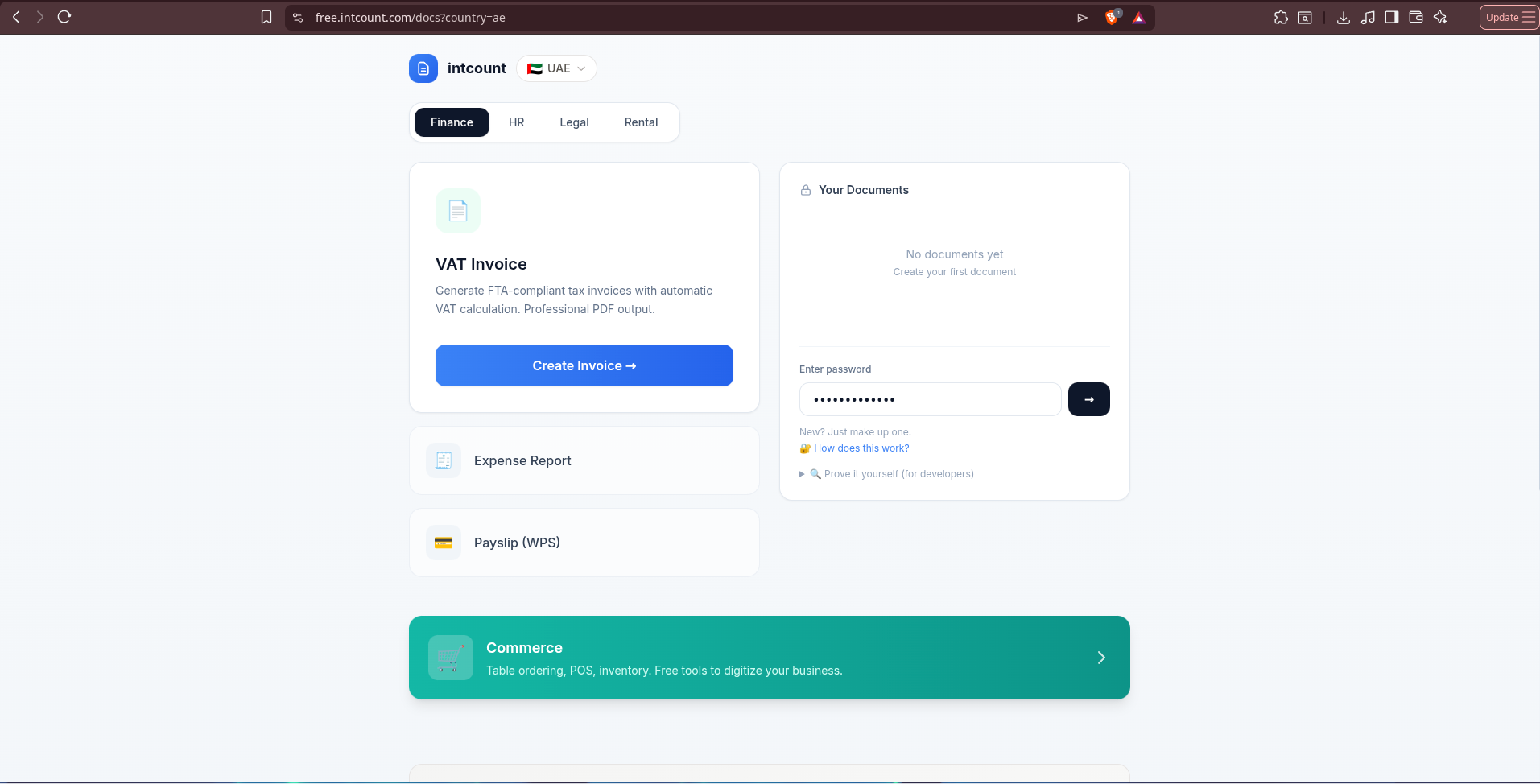
The privacy claim, proven — not just stated
Before you even create an invoice, click "How does this work?" and you get this:
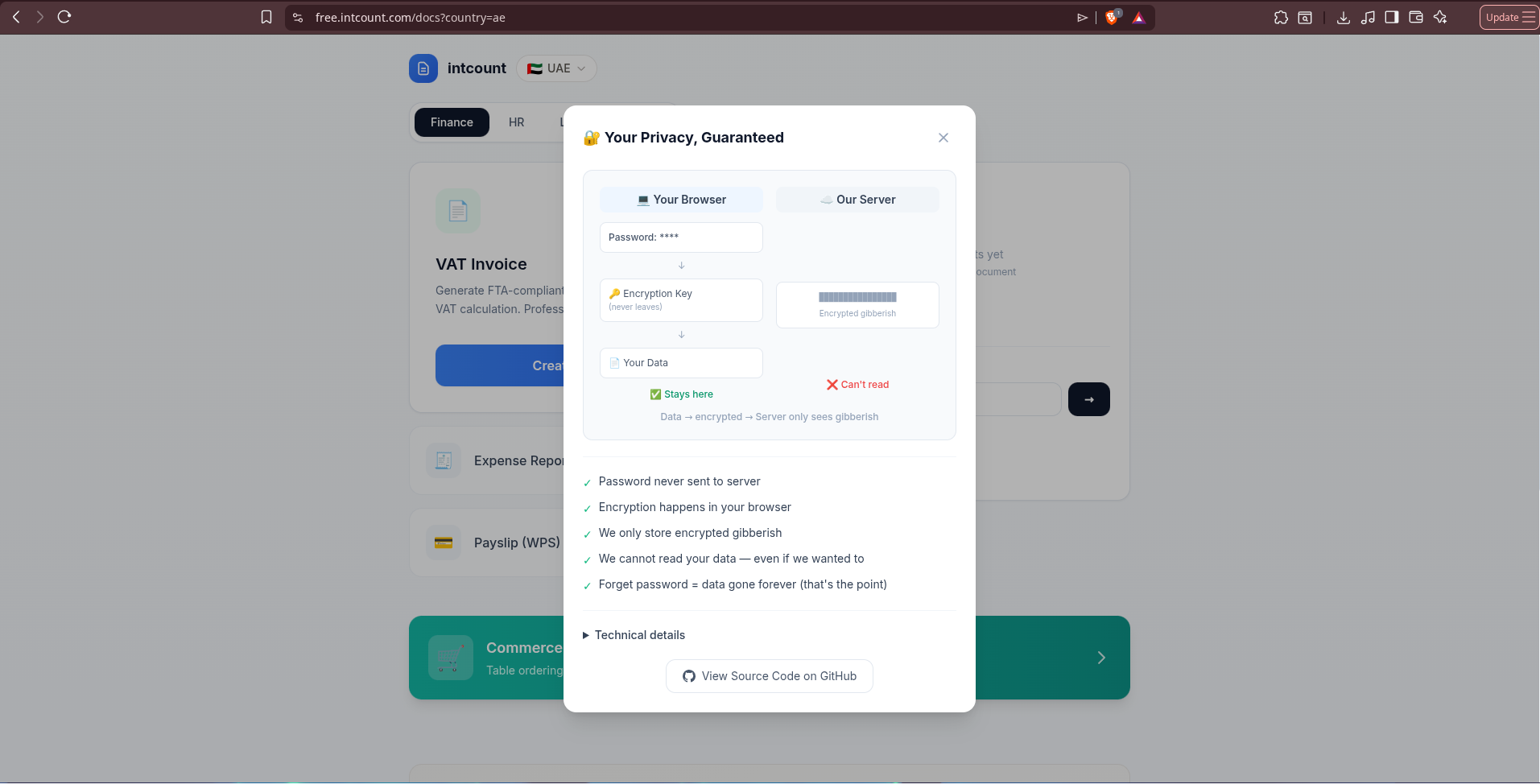
The diagram is blunt: your password and your data stay in your browser. What reaches intCount's server is encrypted gibberish. Five plain statements underneath:
- Password never sent to server
- Encryption happens in your browser
- We only store encrypted gibberish
- We cannot read your data — even if we wanted to
- Forget password = data gone forever (that's the point)
That last line is the tell that this is real. A marketing claim doesn't admit a downside. Real zero-knowledge encryption does — because there's no "forgot password" button when nobody but you ever held the key.
For the skeptical: verify it yourself, live
Click "Prove it yourself (for developers)" and intCount hands you the exact steps to check its claim using nothing but tools already built into your browser:
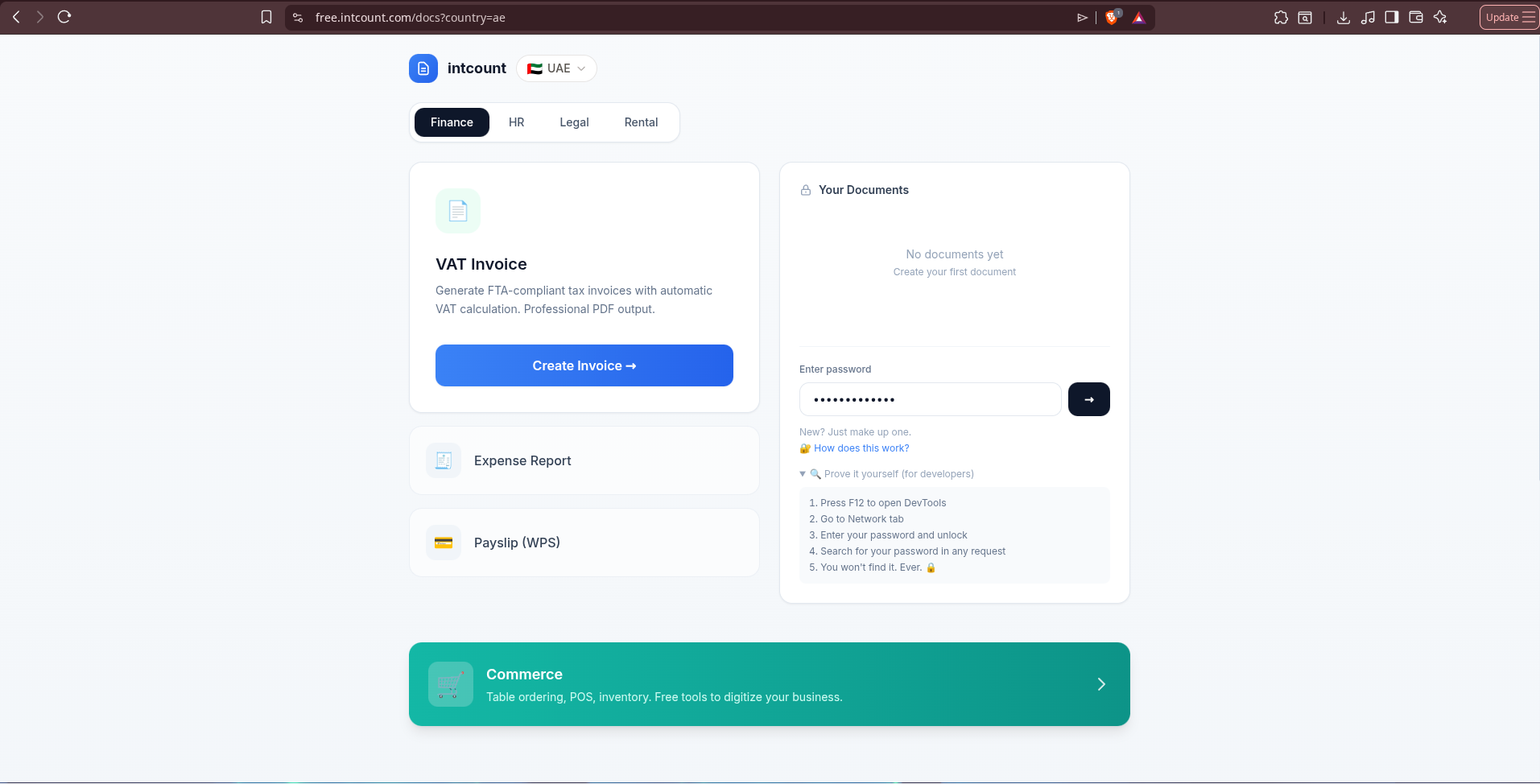
- Press F12 to open DevTools
- Go to the Network tab
- Enter your password and unlock
- Search for your password in any request
- You won't find it. Ever.
This is the difference between a company telling you they respect your privacy and a company giving you the exact steps to catch them lying if they don't. Run it yourself — open Network, filter for your password string, unlock your documents, and watch every outgoing request. It's never there.
Once unlocked, the panel confirms it plainly:
Creating a UAE VAT invoice
Click Create Invoice. The form has two parts: your business details, and the customer you're billing.
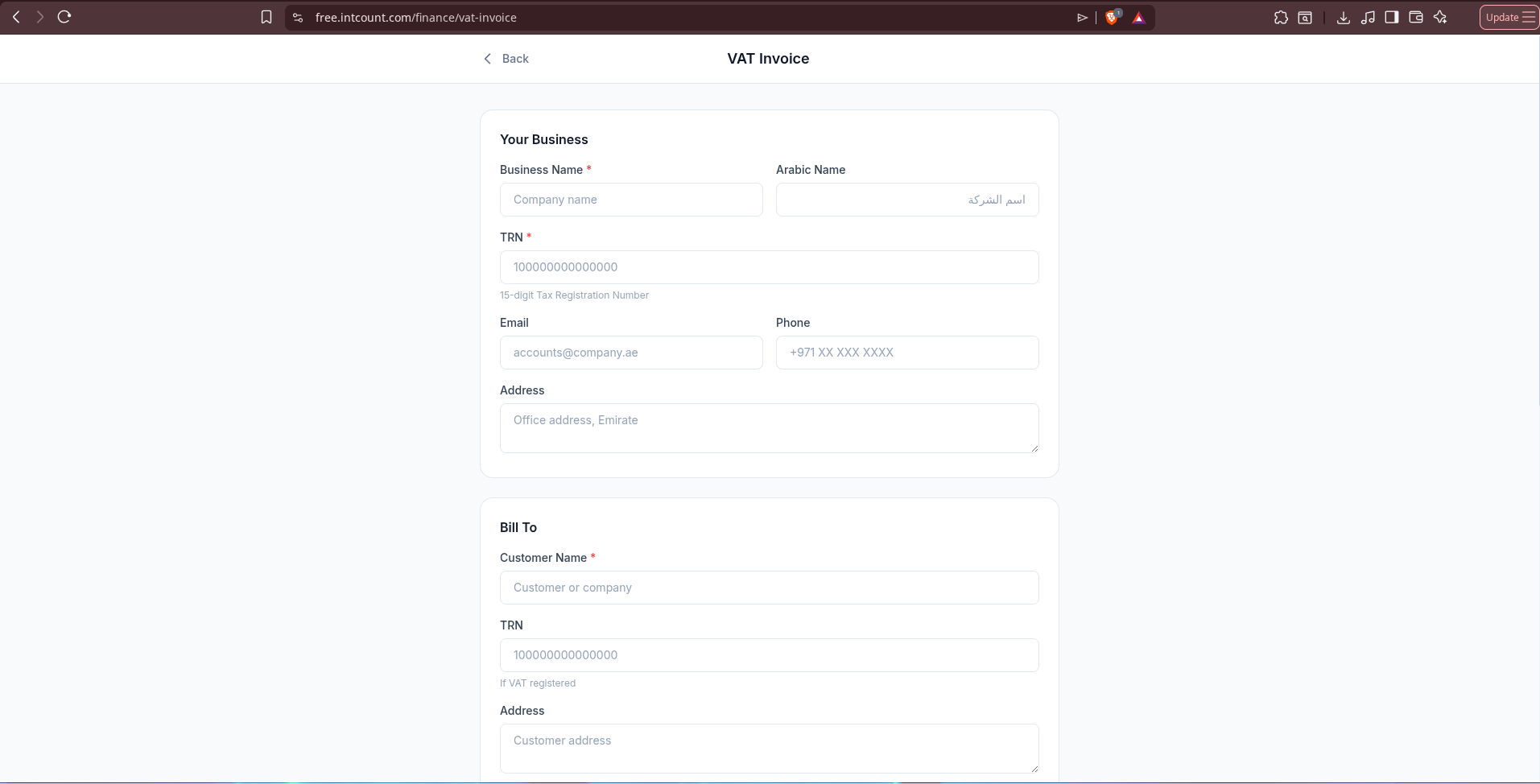
Notice the Arabic Name field — a detail most invoicing tools built outside the region miss. UAE tax invoices commonly carry both the English and Arabic business name, and intCount asks for it upfront rather than bolting it on as an afterthought.
Below that, the actual line items and totals:
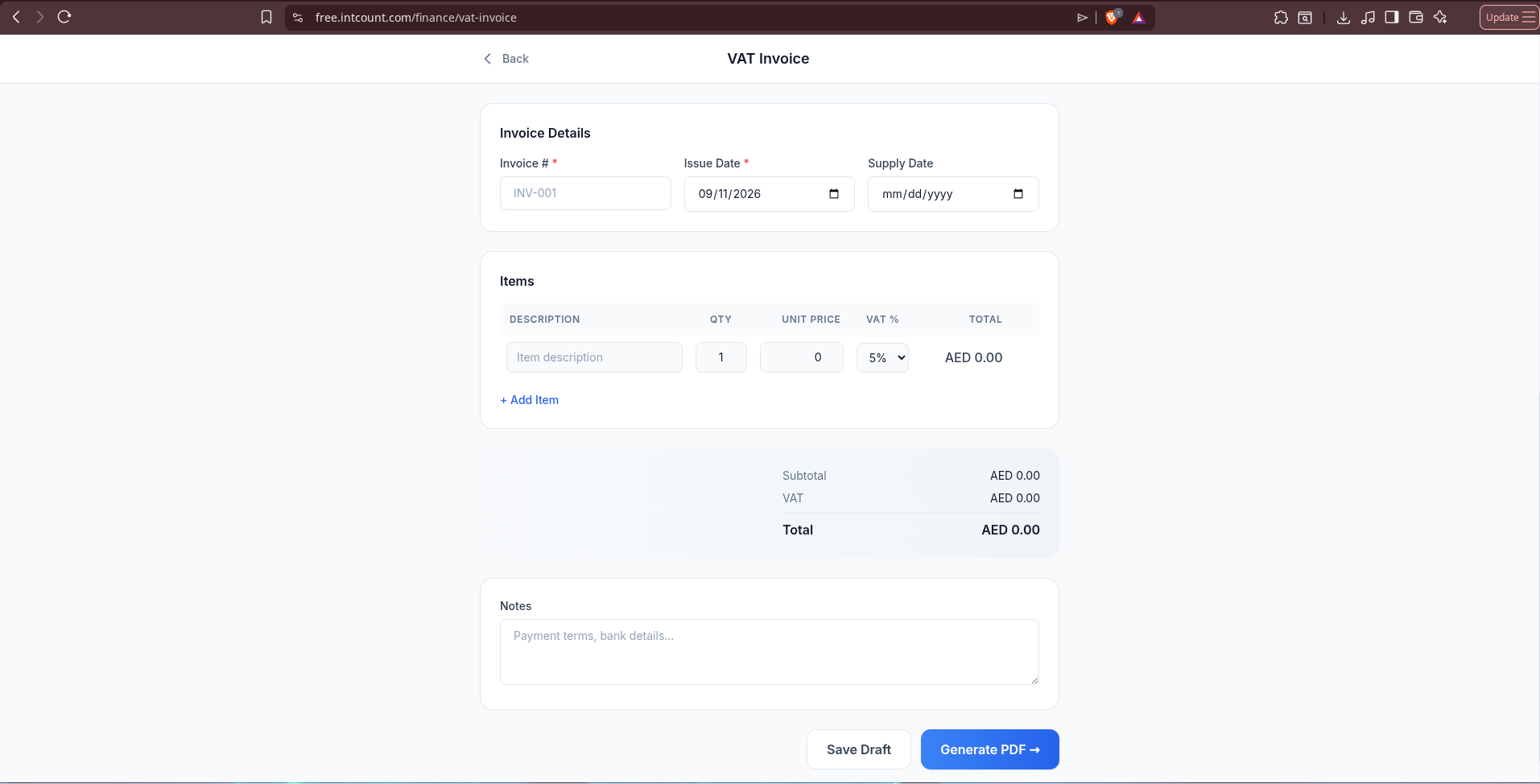
VAT defaults to 5% — the standard UAE rate — per line item, so you can mix taxable and zero-rated items on the same invoice if needed.
Filling it in
Here's the form filled with a real example — a UAE trading company invoicing an electronics distributor:
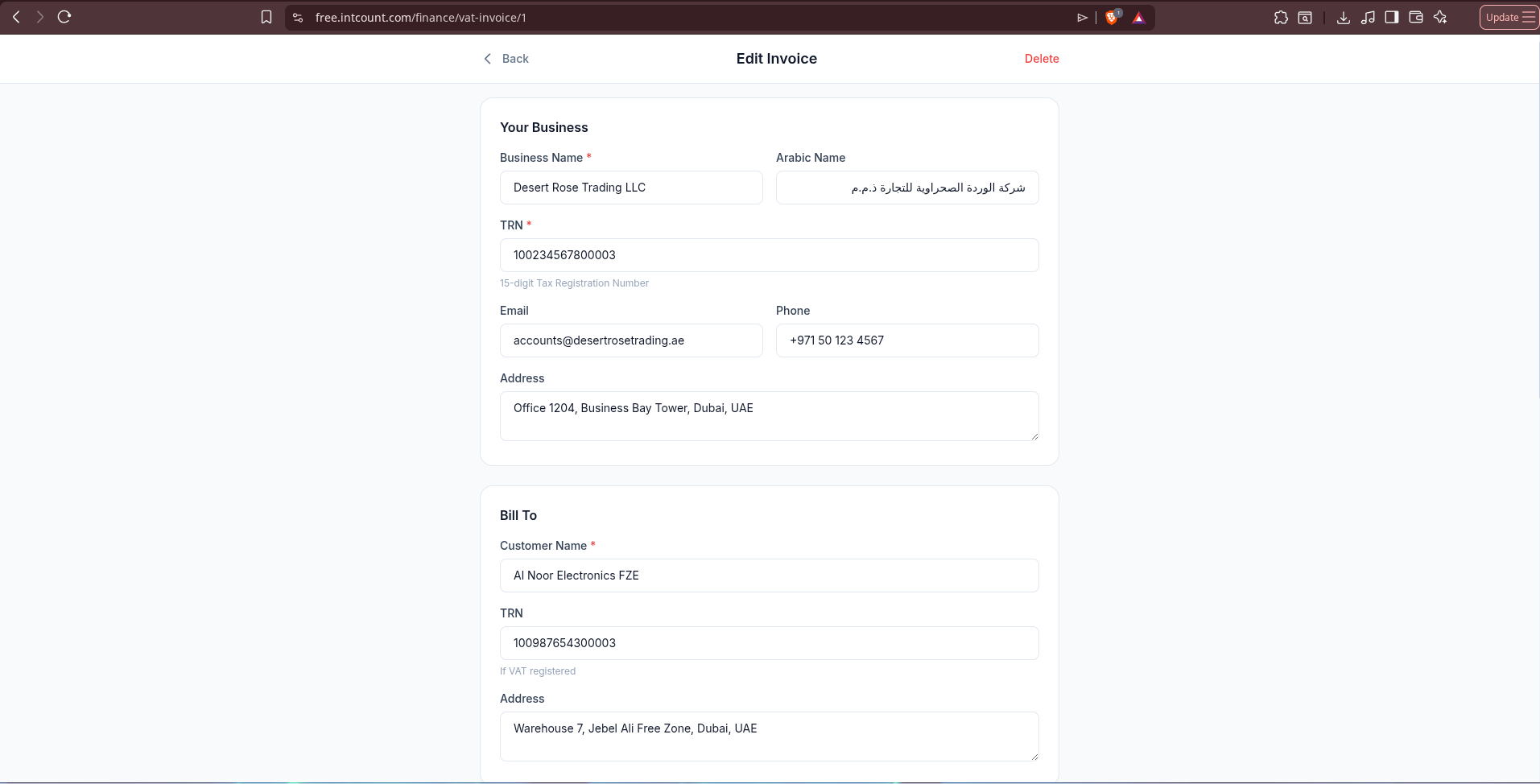
Add your line items, and the VAT and totals calculate automatically as you type:
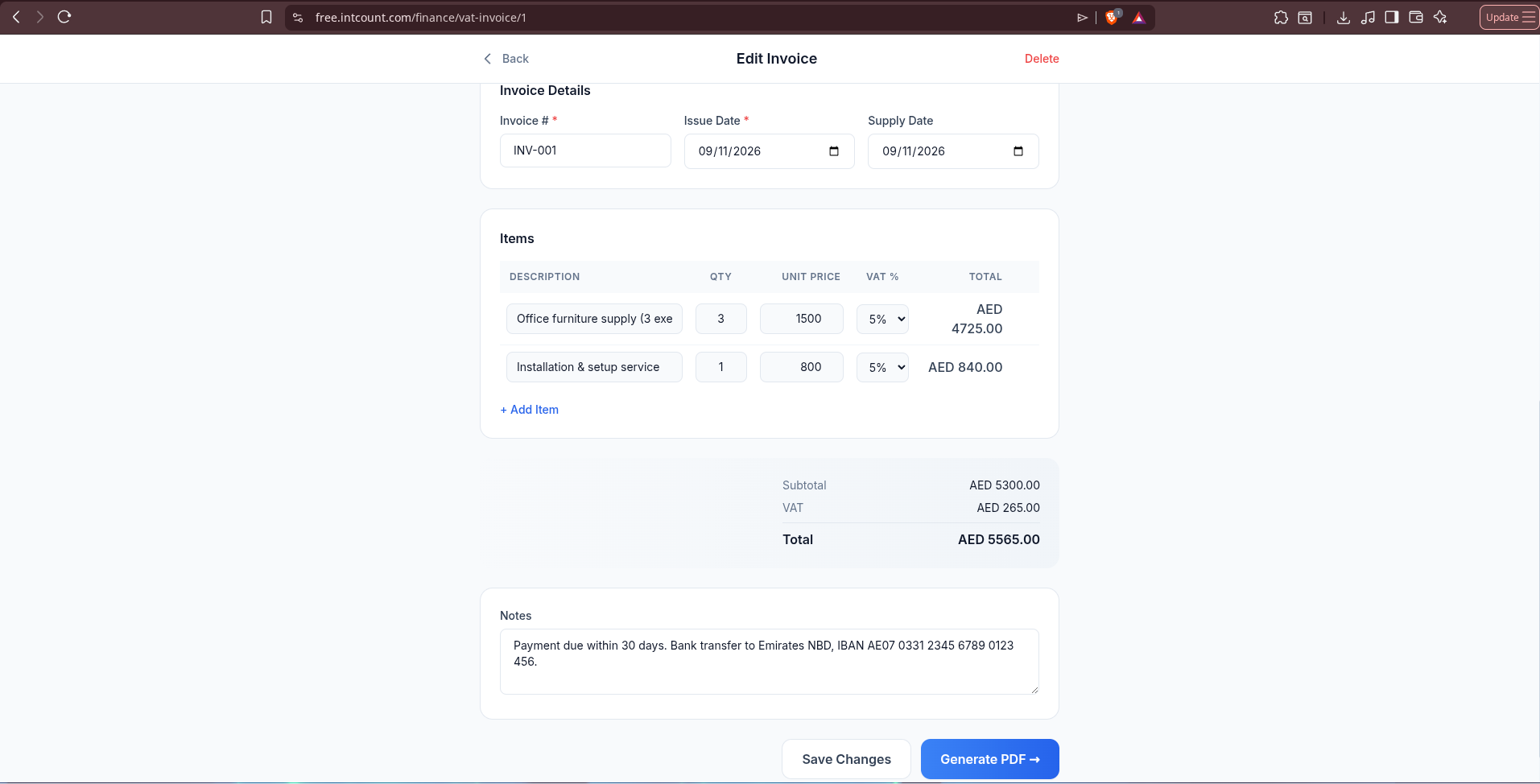
Two items, 5% VAT calculated per line, subtotal and grand total updating live. Add a note for payment terms or bank details, then click Generate PDF.
The output
The generated invoice includes everything the UAE Federal Tax Authority expects on a valid tax invoice: your business and the customer's details side by side, itemized VAT breakdown, subtotal, VAT amount and total clearly separated, an FTA-compliant QR code, and a signature line.
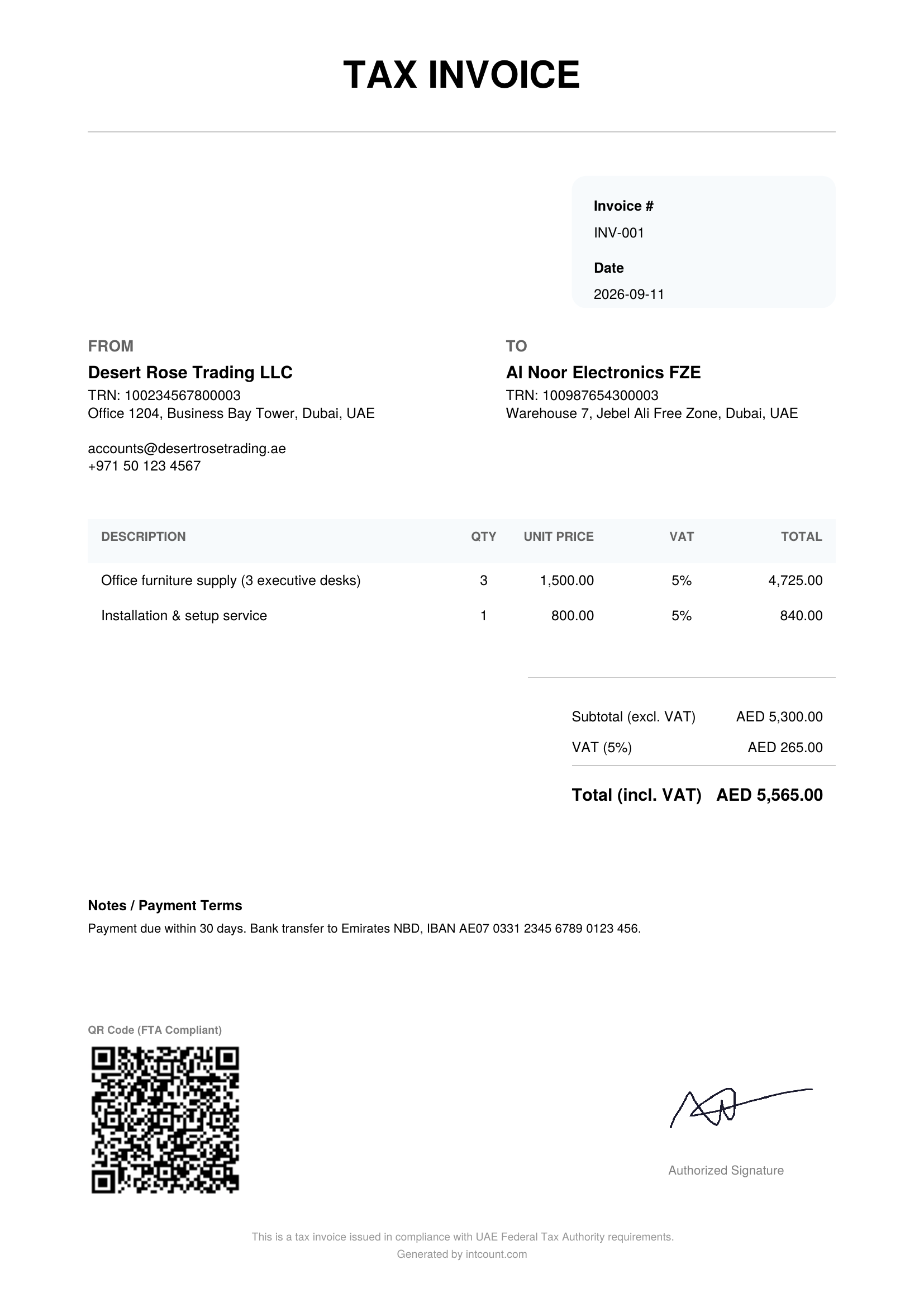
Download the PDF, send it to your customer, done. Nothing about this invoice — the amounts, the customer's identity, your TRN — was ever transmitted to intCount's servers as readable data.
How it compares to typical invoicing SaaS
| Typical Invoicing SaaS | intCount VAT Invoice | |
|---|---|---|
| Cost | $15–$50/month for VAT/multi-currency tiers | Free |
| Signup required | Yes — email, sometimes card | No — just a password you choose |
| Where your data lives | Their servers, in readable form | Encrypted in your browser; server sees gibberish |
| Can the vendor read your invoices? | Yes | No — provably, via DevTools |
| UAE-specific fields (TRN, Arabic name, FTA QR) | Sometimes, as an add-on | Built in by default |
| Data recovery if you forget your password | Standard reset | None — by design, since nobody else ever had the key |
Frequently asked questions
Is this invoice generator really free? Yes. No subscription, no per-invoice fee, no card required to use it.
Is the output FTA-compliant? The invoice includes the fields UAE tax invoices require — TRN for both parties, itemized VAT at the correct rate, a QR code, and a clear VAT/subtotal/total breakdown. Always have your accountant confirm compliance for your specific business type before relying on any generated document for filing.
Do I need to create an account? No. You choose a password on the spot. That password is the encryption key — there's no email, no verification step, no account database entry tied to your identity.
What happens if I forget my password? Your data is permanently inaccessible. This is intentional — since intCount never receives your password, there is nothing on their end to reset. Treat your password the way you'd treat a physical safe combination.
How do I know intCount can't read my invoice data? You don't have to take their word for it. Open your browser's DevTools (F12), go to the Network tab, enter your password and unlock your documents, then search the network requests for your password. It won't appear in any of them — because it never leaves your browser.
What VAT rate does it use? 5%, the standard UAE VAT rate, applied per line item by default. You can adjust individual line items if you have zero-rated or exempt items on the same invoice.
Can I generate invoices in Arabic? The form includes an Arabic Name field for your business, alongside the English name — useful since many UAE tax documents carry both.
Does it work for other UAE document types? Yes — the same Docs tool also generates Expense Reports and WPS-format Payslips under the Finance tab, alongside HR, Legal, and Rental document categories.
Try it
Go to free.intcount.com/docs?country=ae, pick a password, and generate your first FTA-compliant VAT invoice in under two minutes. No signup, no card, and you can verify the privacy claim yourself before you type a single real business detail into it.
VAT Invoice is one of several tools in the intCount free suite — Table Ordering, POS, Inventory, and more — all at free.intcount.com. Free. Zero-knowledge. Built to be simple and amplified.