Free ZATCA VAT Invoice Generator for Saudi Arabia — Tax Invoice & Simplified Invoice, Zero-Knowledge Encrypted
Short answer: intCount's Saudi VAT Invoice tool generates ZATCA-format tax invoices — bilingual Arabic and English, 15% VAT calculated automatically, a QR code, and the correct fields for either a B2B Tax Invoice or a B2C Simplified Invoice. It's free, requires no signup, and every field you type is encrypted in your browser with a password only you know before anything reaches a server.
Getting started — no account required
Switch to Saudi Arabia on the Docs tool and you'll see the VAT Invoice card, plus your existing documents — encrypted, and shown as encrypted:
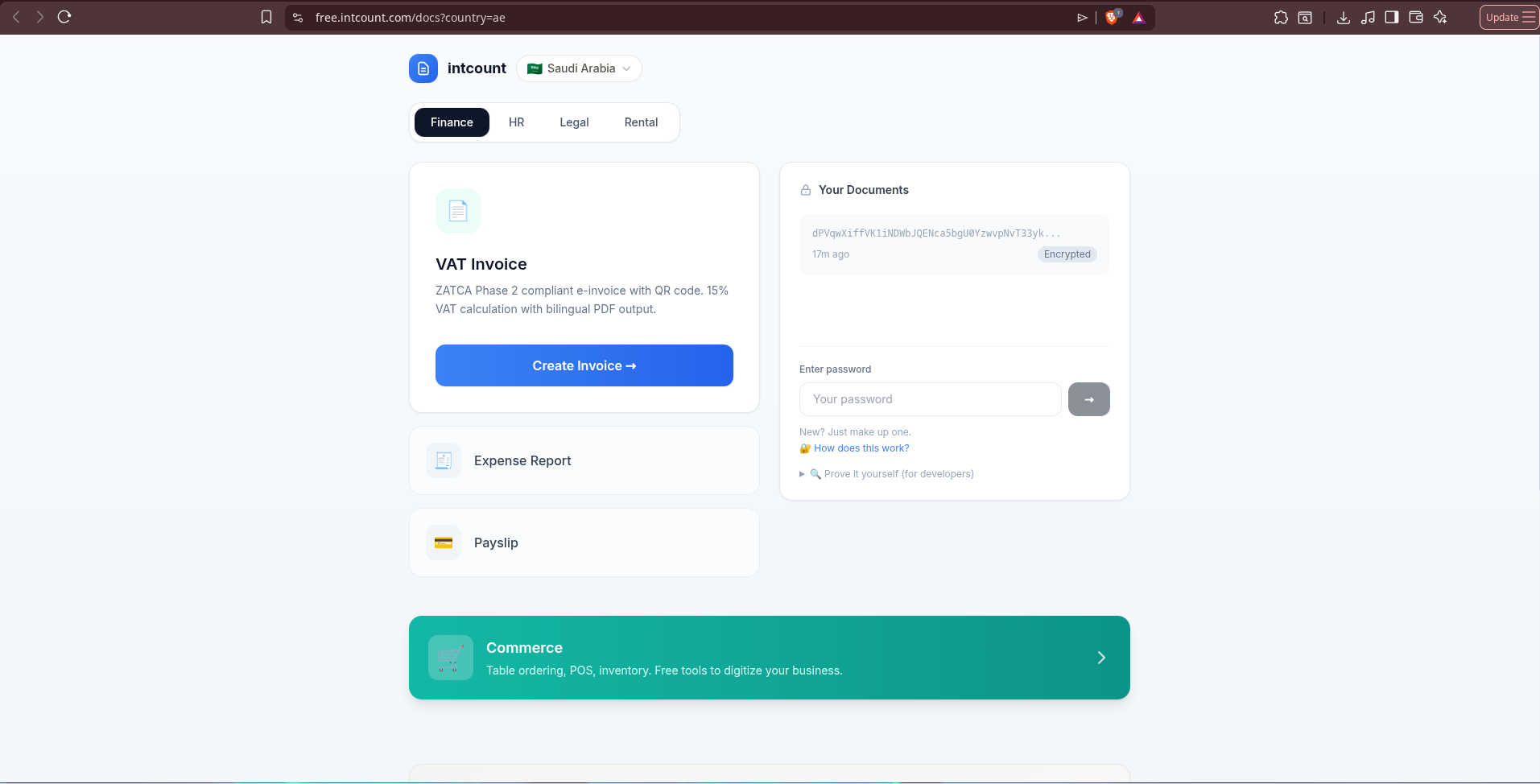
That string next to "Your Documents" — dPVqwXiffVK1iNDWbJQENca5bgU0YzwvpNvT33yk... — is what a previously created invoice looks like on intCount's server. Not a preview, not a redacted summary. That's the actual stored data. Enter your password and it decrypts locally, in your browser, into the real invoice.
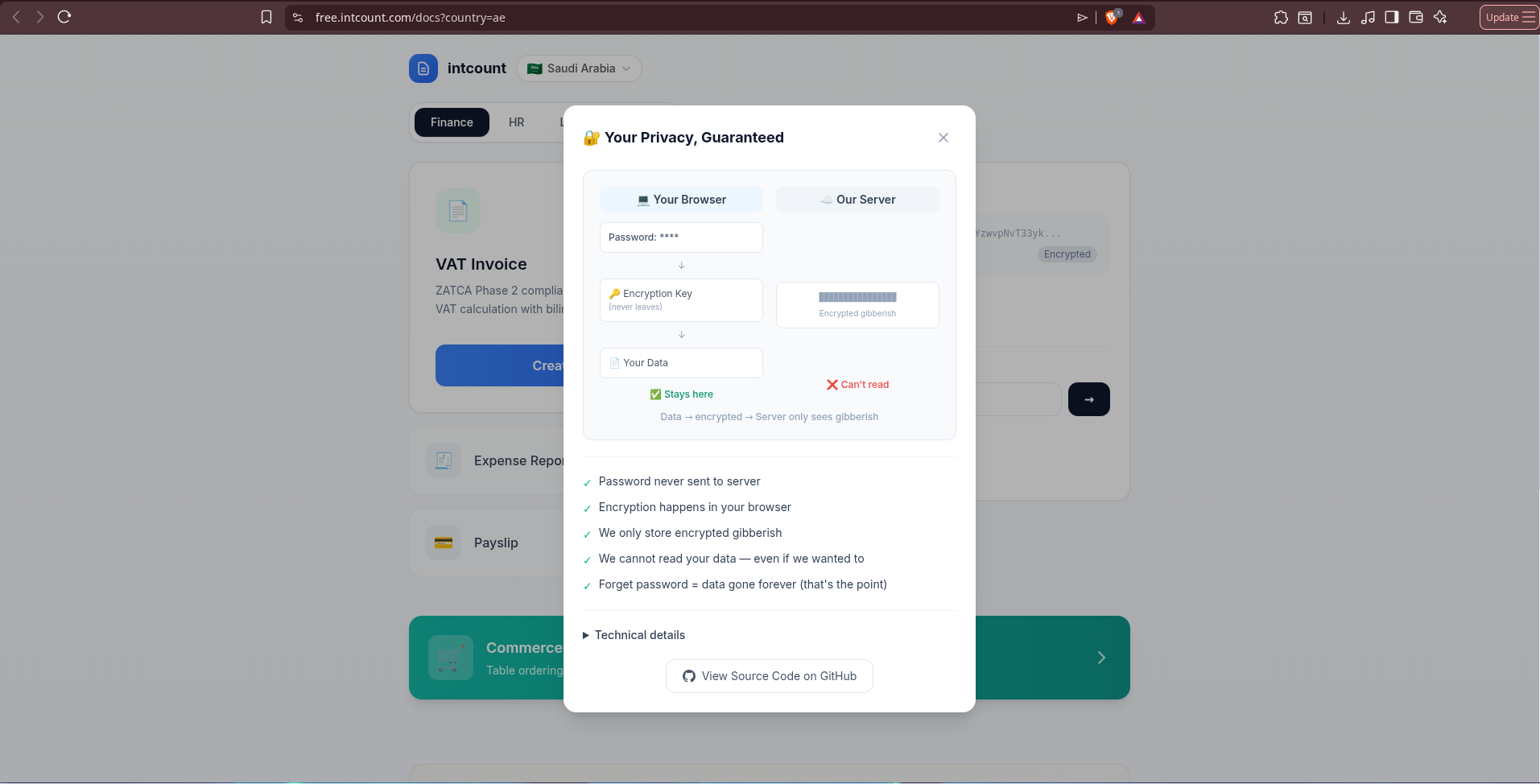
Click "How does this work?" and you get the mechanism spelled out, not just claimed:
And for the skeptical, the exact steps to verify it yourself using nothing but your browser's built-in DevTools:
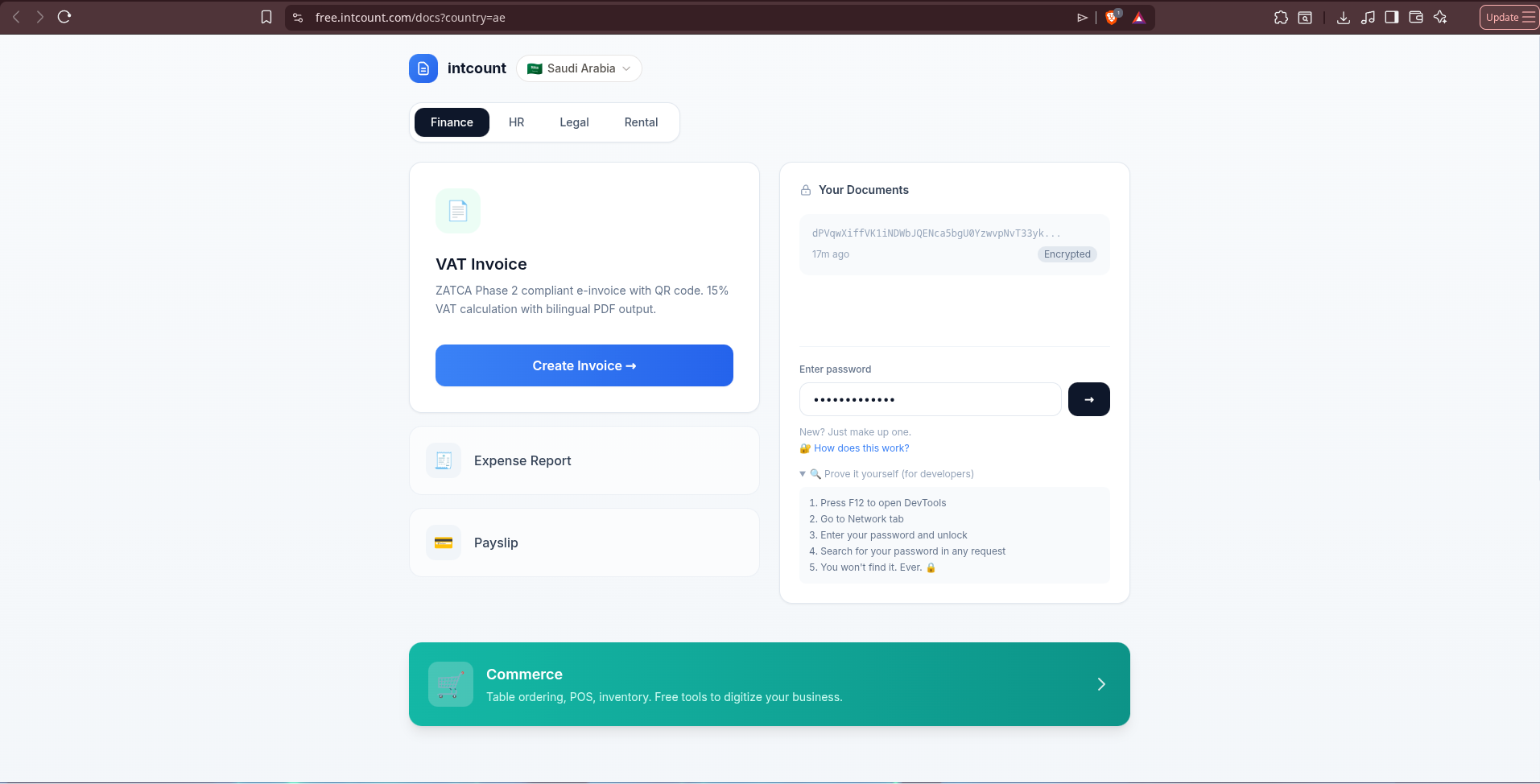
Open Network, unlock your documents, search every outgoing request for your password. It's never there — because it never left your browser.
Tax Invoice or Simplified Invoice — which one do you need?
- Tax Invoice — for B2B transactions. Requires both the seller's and the buyer's VAT registration numbers.
- Simplified Invoice — for B2C sales under 1,000 SAR. No buyer VAT number required — the format for retail receipts and point-of-sale transactions.
Picking wrong isn't cosmetic — ZATCA treats these as different document types with different mandatory fields. Invoicing another business for any meaningful amount, Tax Invoice is almost always correct.
Filling in the invoice
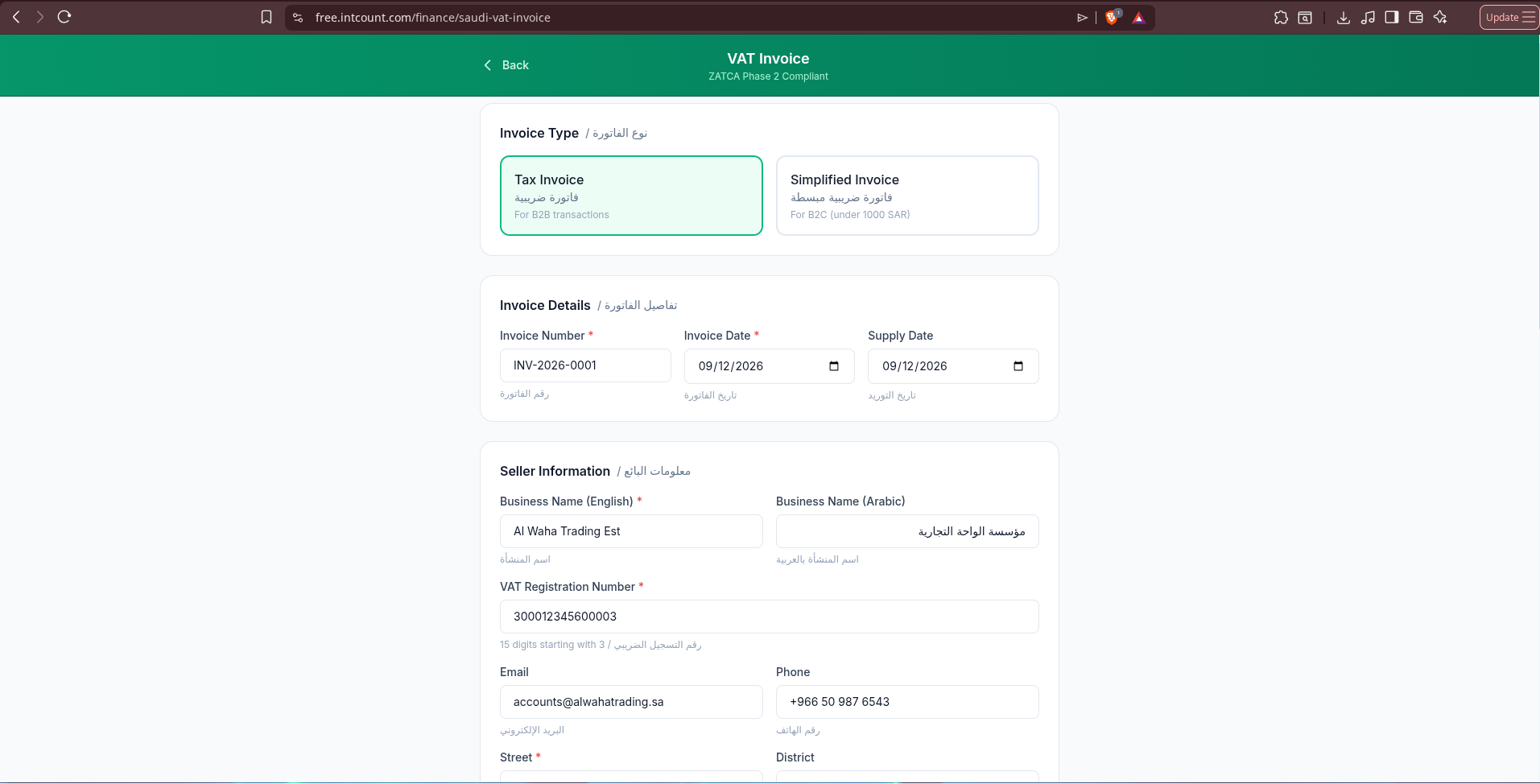
Seller information, including a dedicated Arabic business name field, since ZATCA invoices are bilingual by requirement, not by choice:
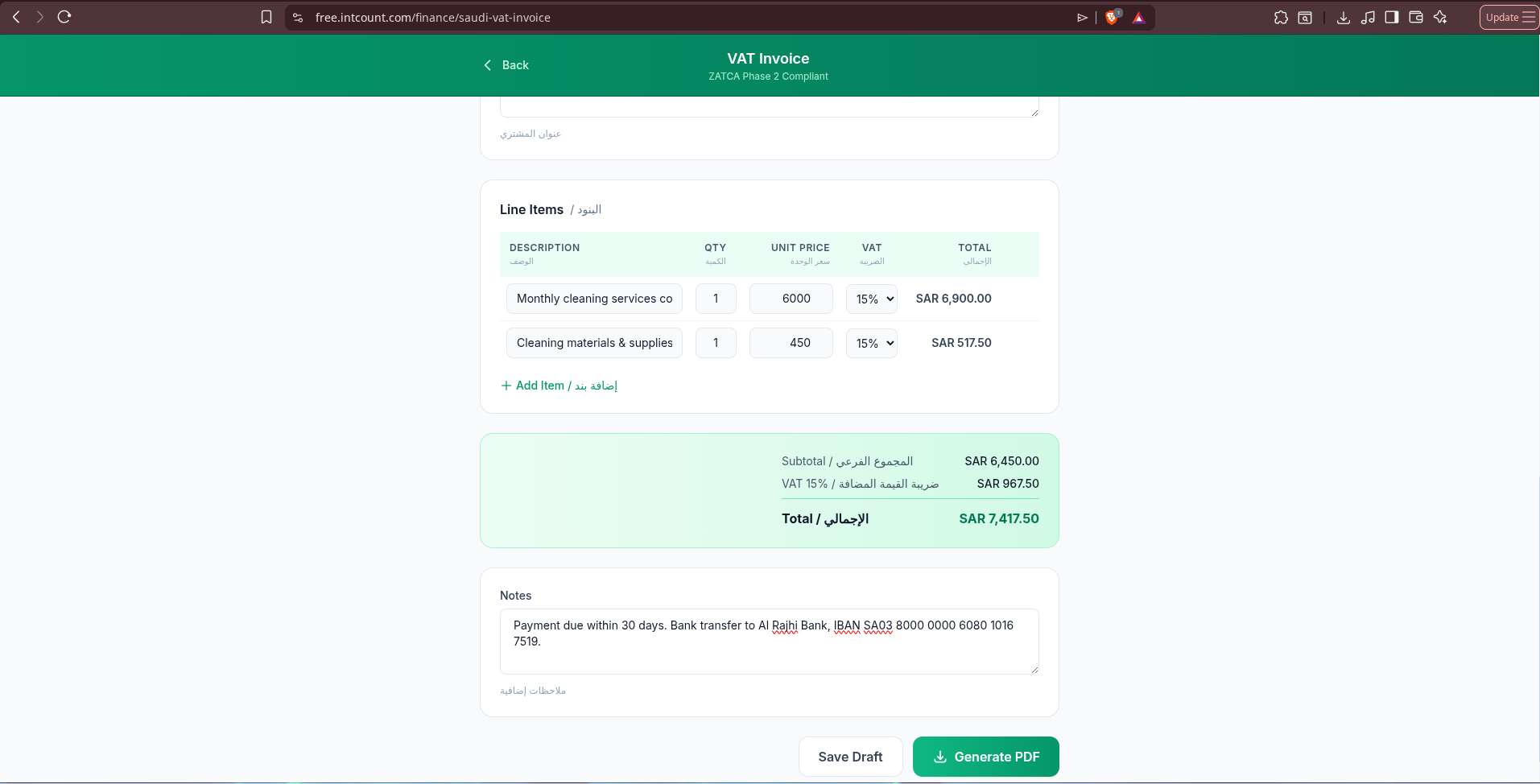
Line items with VAT defaulting to 15% — the standard Saudi rate — and totals recalculating live:
The output
Here's the completed invoice — a facilities-management contractor billing a client in Riyadh:
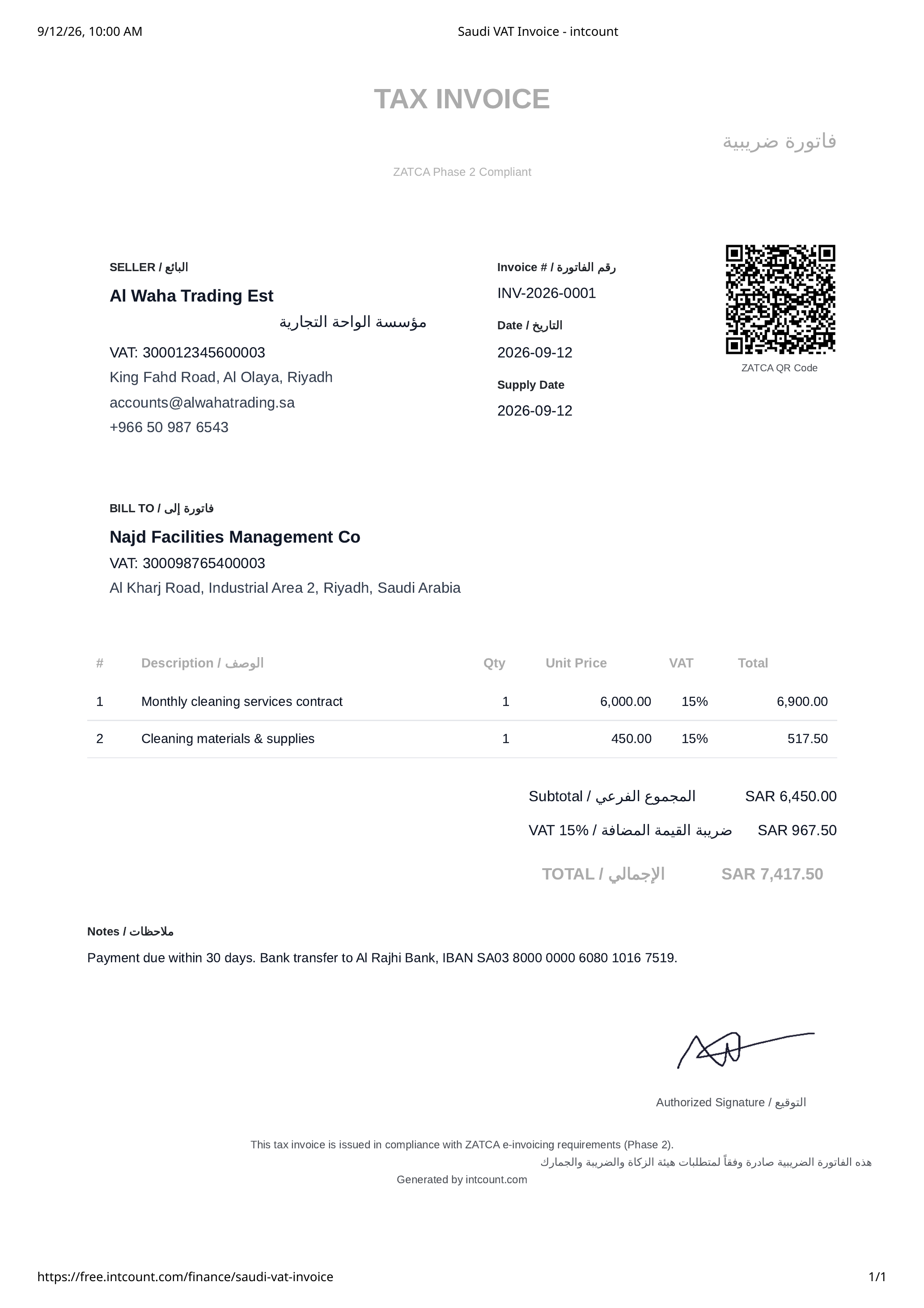
Every section is properly bilingual — "فاتورة ضريبية" (Tax Invoice), "البائع" (Seller), "فاتورة إلى" (Bill To), all rendered as real, connected, correctly-shaped Arabic script flowing right to left, sitting naturally alongside the English labels. The QR code follows the ZATCA format, and the VAT math is transparent: two line items at 15%, subtotal and grand total reconciling correctly (SAR 6,450 subtotal, SAR 967.50 VAT, SAR 7,417.50 total).
How it compares
| Typical Saudi invoicing SaaS | intCount VAT Invoice | |
|---|---|---|
| Cost | Often $20–$60/month for VAT + Arabic support tiers | Free |
| Signup required | Yes | No — just a password you choose |
| Where your data lives | Their servers, in readable form | Encrypted in your browser; server sees ciphertext |
| Bilingual Arabic/English by default | Sometimes an add-on | Built in |
| Tax Invoice vs Simplified Invoice | Sometimes one or the other, rarely both | Both, chosen upfront |
Frequently asked questions
Is this invoice generator really free? Yes — no subscription, no per-invoice fee, no card required.
Is this fully ZATCA Phase 2 compliant? The generated document follows ZATCA's Phase 2 format requirements — bilingual fields, the correct VAT breakdown, and a QR code. Phase 2 also involves real-time e-invoice reporting or clearance with ZATCA's systems for businesses in applicable rollout waves — confirm your specific integration obligations with your tax advisor or ZATCA directly before relying on any generated document for filing.
What's the difference between a Tax Invoice and a Simplified Invoice? Tax Invoice is for B2B transactions and requires both parties' VAT numbers. Simplified Invoice is for B2C retail sales under 1,000 SAR and doesn't require the buyer's VAT number.
Do I need an account? No. You choose a password on the spot — no email, no verification step.
What happens if I forget my password? Your data becomes permanently inaccessible. This is intentional: intCount never receives your password, so there's nothing on their end to reset.
What VAT rate does it use? 15%, the standard Saudi Arabia VAT rate, applied per line item by default.
Does the Arabic text actually render correctly? Yes — properly shaped, connected, right-to-left Arabic script throughout, not machine-transliterated or reversed text. See the generated invoice above for the real output.
How do I know intCount can't read my invoice data? Open your browser's DevTools (F12), go to the Network tab, enter your password and unlock your documents, then search every outgoing request for your password. It won't appear — because it never left your browser. See the screenshots above for the exact steps.
Try it
Go to free.intcount.com/finance/saudi-vat-invoice, pick Tax Invoice or Simplified Invoice, choose a password, and generate your first ZATCA-format invoice in a couple of minutes.
VAT Invoice is one of several tools in the intCount free suite — Table Ordering, POS, Inventory, and more — all at free.intcount.com. Free. Zero-knowledge. Built to be simple and amplified.